Introduction
When you log in to a website, search for a product, submit a form or place an order, the page you see is rarely a file sitting untouched on a server. Backend code receives your request, checks who you are, reads or writes data and builds the response. PHP is one of the technologies that does this work.
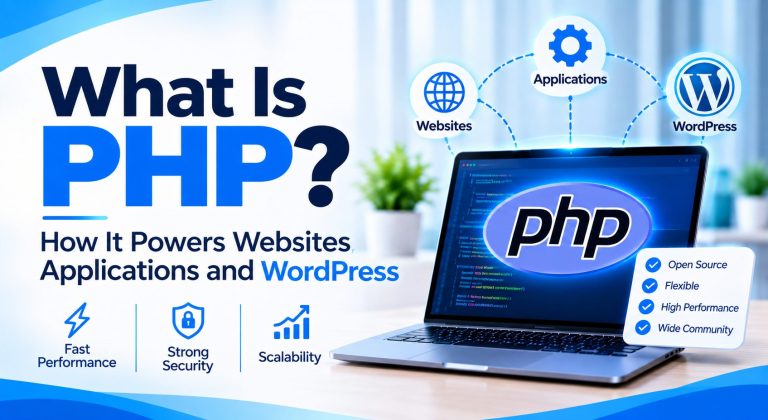
So what is PHP? It is an open-source programming language that runs on a web server and generates the pages and data a browser receives. It remains relevant in 2026 because it powers WordPress and many other platforms, and because modern PHP is a mature, actively supported language. W3Techs reported on 15 July 2026 that PHP is used by 70.8% of the websites whose server-side language it can identify.
This guide explains how PHP works, how to run your first program, what PHP is used for, how it powers WordPress, and how frameworks, versions, security and performance fit together. Version information was checked against official PHP pages on 2 November 2026.
What Is PHP?
Short answer:PHP (PHP: Hypertext Preprocessor) is an open-source scripting language used mainly for server-side web development. PHP code runs on a web server, can work with databases, files and APIs, and sends the finished output, usually HTML or JSON, to the visitor’s browser.
The name is recursive: PHP stands for PHP: Hypertext Preprocessor. It began as Personal Home Page tools, but today it is a general-purpose language used mostly on servers. In computer language terms, it is a scripting language: a PHP runtime reads your code and executes it each time a request arrives.
It helps to separate PHP from the technologies around it. PHP is a programming language. It is not a framework (Laravel is one), not a database (MySQL is one), not a hosting service and not a frontend language, because HTML, CSS and JavaScript are what run in the browser.
On a server, PHP can build dynamic HTML, query databases, call APIs, manage sessions and cookies, and work with files. It can also run from the command line for scheduled jobs and maintenance scripts.
How Does PHP Work?
Every PHP-powered page follows the same request-response cycle:
- A visitor opens a PHP-powered page or submits a form.
- The browser sends an HTTP request to the web server.
- The web server, such as Apache or Nginx, routes the request to the right PHP script or application.
- The PHP runtime executes the code.
- The code applies business logic, checks sessions and queries the database where needed.
- The web server sends back an HTTP response containing the generated output.
- The browser renders that response.
Browser –> Web server –> PHP runtime –> Database
Browser <– Web server <– PHP runtime <– Database
Each part has one job. The browser asks and displays. The web server receives requests and hands PHP files to the runtime. The PHP runtime executes your application code. The database stores what the code reads and writes. Because PHP runs on the server, the browser receives the generated output, never your PHP source code.
PHP can connect to the web server as an Apache module, through PHP-FPM or through CGI. The request cycle is the same in each case.
What Is a PHP File?
A PHP file is a text file with the .php extension that contains PHP code, often mixed with HTML. PHP code sits between the opening tag <?php and the closing tag ?>. Everything outside those tags is sent to the browser unchanged. This illustrative page greets visitors by time of day:
<!DOCTYPE html>
<html>
<body>
<h1>Welcome</h1>
<?php
$hour = (int) date(‘G’);
echo $hour < 12 ? ‘Good morning’ : ‘Good afternoon’;
?>
</body>
</html>
The server sends the HTML as written and replaces the PHP block with its output. The visitor sees only HTML. In files that contain only PHP, the closing tag is optional and usually left out.
Opening a .php file straight from your computer in a browser does not run it. A PHP file executes only when a configured PHP environment, such as the command line or a web server with PHP, processes it.
How to Write and Execute Your First PHP Program
You need a PHP installation, a text editor and a terminal. Install a currently supported PHP version with your system’s package manager, a bundled stack such as XAMPP, or the instructions on php.net, then confirm it:
php -v
Create a file named hello.php with this content:
<?php
echo “Hello, World!”;
?>
Run it from the folder that holds the file. The terminal prints Hello, World!
php hello.php
To view PHP in a browser, start the built-in development server from your project folder, then open http://localhost:8000/hello.php:
php -S localhost:8000
The built-in server is meant for development and testing, not as a production web server. In production, PHP runs behind a web server such as Apache or Nginx.
What Is PHP Programming Used For?
PHP’s practical uses range from simple dynamic pages to large platforms.
Dynamic Website Development
PHP builds pages on request: it reads a URL, loads data, applies logic and returns HTML. A news article, a user profile and a search results page are all generated this way.
Content Management Systems
WordPress, Drupal and Joomla are PHP-based. Editors publish content while PHP assembles each page from templates and stored data.
E-commerce Websites
Product catalogs, carts, checkout workflows, order management and payment or shipping integrations are common PHP workloads. WooCommerce and Magento are PHP-based examples.
Web Applications and SaaS Platforms
Authentication, dashboards, business rules, background jobs and billing logic can all live in a PHP application, often built on Laravel or Symfony.
Database-Driven Applications
PHP connects to MySQL, MariaDB and PostgreSQL, usually through PDO (PHP Data Objects). This hypothetical example reads one product with a prepared statement:
<?php
$pdo = new PDO(
‘mysql:host=localhost;dbname=shop;charset=utf8mb4’,
getenv(‘DB_USER’), getenv(‘DB_PASS’),
[PDO::ATTR_ERRMODE => PDO::ERRMODE_EXCEPTION]
);
$stmt = $pdo->prepare(‘SELECT name FROM products WHERE id = :id’);
$stmt->execute([‘id’ => (int) ($_GET[‘id’] ?? 0)]);
$product = $stmt->fetch(PDO::FETCH_ASSOC);
echo htmlspecialchars($product[‘name’] ?? ‘Not found’, ENT_QUOTES, ‘UTF-8’);
Credentials come from environment variables, the query uses a placeholder instead of joining user input into SQL, and the output is escaped before it reaches the page.
REST APIs and Backend Services
PHP can return JSON to JavaScript frontends, mobile apps and third-party services, handling routing, validation, authentication and rate limits.
Automation and Command-Line Tasks
Scheduled scripts can import data, send reports, process files and run maintenance tasks with no web server involved.
How Does PHP Power WordPress?
WordPress is built primarily with PHP. When someone requests a WordPress page, the web server passes the request to PHP, WordPress core loads, reads content from the database, runs the active theme’s templates and any plugin code, and returns finished HTML. Modern WordPress also relies on HTML, CSS, JavaScript and APIs, so PHP is central to the stack but not the whole of it.
- WordPress core: the application itself, written mainly in PHP.
- PHP runtime: executes all that code on the server.
- MySQL or MariaDB: stores posts, settings and users.
- Theme: PHP templates that control layout and display.
- Plugins: PHP code that adds or changes features.
- Web server: receives requests and calls PHP.
To show a blog post, a theme template runs the classic WordPress loop. This is illustrative template code:
<?php if ( have_posts() ) : while ( have_posts() ) : the_post(); ?>
<h2><?php the_title(); ?></h2>
<?php the_content(); ?>
<?php endwhile; endif; ?>
For a contact form, a plugin’s PHP code receives the submitted data, validates it, then saves or emails it.
Because PHP runs everything, its version matters. The WordPress requirements recommend hosts support PHP 8.3 or greater, and note that PHP 7.4 and later still work but have reached end of life and may expose a site to security vulnerabilities. Keep core, themes and plugins updated, and check your PHP version in Site Health. For custom theme or plugin work, you can hire WordPress developers.
What Are the Main Features of PHP?
- Open source: free to use, with community-maintained documentation.
- Server-side execution: code runs on the server and visitors receive only output.
- Cross-platform support: runs on Linux, Windows and macOS and works with common web servers.
- Database connectivity: extensions such as PDO connect to MySQL, MariaDB, PostgreSQL and others.
- HTML integration: PHP can sit inside markup or stay separate from it.
- Object-oriented programming: classes, interfaces, traits and enums support structured code, while procedural style still works.
- Built-in functions and extensions: strings, arrays, dates, JSON, sessions and file handling, extended by modules such as GMP.
- Sessions and cookies: built-in support for remembering users between requests.
- Ecosystem: Composer packages, frameworks and extensive documentation.
None of these is unique to PHP. Together they explain why it became practical for hosting-friendly web development.
What Are PHP Frameworks?
A PHP framework is a structured toolkit of code and conventions for building applications. Instead of writing routing, database access, authentication and validation from scratch, developers use tested components, which improves consistency, security practices, testability and maintainability.
Laravel
Laravel offers routing, the Eloquent ORM (a way to work with database tables as objects), authentication options, queues and a large ecosystem. It suits modern web applications and APIs.
Symfony
Symfony is a set of reusable components plus a full-stack framework. Its flexibility and long-term support releases suit complex, long-lived applications, and other PHP projects reuse its components.
CodeIgniter
CodeIgniter is lightweight, with a gentle learning curve. It suits smaller projects where a simple framework is enough.
Yii
Yii provides structured MVC development, caching and code generation. It is used for business applications and APIs, and Yii 2 remains widely deployed.
Laminas
Laminas continues Zend Framework under the Linux Foundation. Its modular components, and the Mezzio middleware framework, suit applications that need flexible building blocks.
| Framework | Main characteristics | Suitable use cases |
| Laravel | Developer-friendly ecosystem and integrated tools | Modern web applications and APIs |
| Symfony | Reusable components and flexible architecture | Complex and enterprise applications |
| CodeIgniter | Lightweight framework approach | Smaller and relatively straightforward applications |
| Yii | Structured framework with performance-oriented features | Business applications and APIs |
| Laminas | Modular PHP components | Applications requiring flexible components |
There is no universal best PHP framework. The right choice depends on project complexity, team experience, architecture, maintenance needs and ecosystem. Teams usually shortlist two and build a small prototype before committing.
PHP vs Django: What Is the Difference?
Django is a web framework written in Python, so the fair comparison is not PHP versus Django. It is Laravel or Symfony versus Django, or PHP versus Python. Both ecosystems can build database-driven websites, APIs and complex applications.
| Area | PHP ecosystem | Django |
| Language | PHP | Python |
| Framework examples | Laravel, Symfony | Django |
| Typical use | Websites, CMS platforms, APIs, web applications | Websites, web applications, APIs |
| Selection factors | PHP expertise, hosting, framework needs | Python expertise, ecosystem, framework needs |
Choose by team skills, existing systems, hosting and long-term maintenance. Neither is universally faster or safer, because results depend on architecture, code quality and workload.
PHP Versions in 2026: Which Version Should You Use?
A version number such as 8.4.27 has three parts: the major version (8), the minor branch (8.4) and the patch release (27). Each branch gets two years of active support, then two years of security fixes only, then reaches end of life, as the supported versions page explains.
On 2 November 2026, php.net lists 8.2, 8.3, 8.4 and 8.5 as supported. PHP 8.5, released on 20 November 2025, is the newest branch.
| PHP branch | Latest verified release | Support status | Official support end date |
| 8.5 | 8.5.12 | Active support | Active until 31 Dec 2027; security until 31 Dec 2029 |
| 8.4 | 8.4.27 | Active support | Active until 31 Dec 2026; security until 31 Dec 2028 |
| 8.3 | 8.3.36 | Security fixes only | Security until 31 Dec 2027 |
| 8.2 | 8.2.35 | Security fixes only | Security until 31 Dec 2026 |
| 8.1 and older | Last 8.1 release was 8.1.34 | End of life | No upstream support |
Unsupported versions receive no fixes, which can leave applications exposed to unpatched security vulnerabilities. Supported branches also need current patch releases: the 21 October 2026 security releases (8.5.12, 8.4.27, 8.3.36 and 8.2.35) fixed two critical flaws.
The newest release is not automatically the right upgrade for every application. Check frameworks, extensions and vendor support, test on a staging copy and keep a rollback plan. Check your installed version with php -v. This table was last checked on 2 November 2026, so confirm it on the official releases page.
What Is the GMP Extension in PHP?
GMP stands for GNU Multiple Precision. It is a PHP extension for working with integers of arbitrary length, limited only by available resources, so you can calculate far beyond PHP’s normal integer range. It must be installed and enabled in your PHP environment. The manual warns that large integers must be passed as strings, otherwise PHP converts them to floats and loses precision.
<?php
$result = gmp_pow(2, 100);
echo gmp_strval($result);
// 1267650600228229401496703205376
On a 64-bit build, a plain 2 ** 100 becomes a float that prints as 1.2676506002282E+30. GMP returns every digit. Most projects never need it, but it helps with exact large-number work such as factorials.
Benefits and Limitations of PHP
Benefits
- Mature web development ecosystem and broad hosting availability.
- Strong WordPress integration.
- Large framework and package ecosystem, plus database connectivity.
- Open-source tooling, a large community and extensive documentation.
Limitations and considerations
- Legacy code is common and can be costly to maintain.
- Version compatibility: old applications may break on newer PHP.
- Code quality varies widely between projects.
- Dependencies need active management.
- Poor implementation, not the language alone, causes most security problems.
- Some workloads, such as heavy computation, may suit other tools better.
PHP’s suitability depends on the application’s requirements and the quality of its implementation, not on the language’s reputation.
PHP Security and Performance Best Practices
PHP does not secure an application automatically. These practices matter most:
- Run a supported PHP version and keep frameworks and Composer dependencies updated.
- Validate user input, and use parameterized queries instead of building SQL from input.
- Escape output with functions such as htmlspecialchars() to reduce cross-site scripting (XSS) risk.
- Use proper authentication and authorization, and store passwords with password_hash() and password_verify().
- Protect sessions, and keep secrets outside publicly accessible source files.
- Turn off error display in production and log errors instead.
- Profile before optimizing, cache where it helps and avoid unnecessary database queries.
- Monitor application behavior and slow requests.
Security also covers the runtime. In October 2026 the PHP project fixed two critical flaws in PHP itself, CVE-2026-109618 and CVE-2026-109619, and our PHP2Shell security overview explains why patching PHP matters alongside your own code.
PHP Development Tools and Environment
- PHP CLI: runs scripts and checks your setup with php -v and php -m.
- XAMPP or similar: an optional local stack bundling a web server, database and PHP.
- Composer: installs and updates the packages your project depends on.
- Visual Studio Code or another editor: editing with syntax help and extensions.
- PHPUnit: automated tests that catch regressions.
- PHPStan or Psalm: static analysis that finds bugs without running the code.
- PHP_CodeSniffer: checks code against a coding standard.
- Xdebug: step debugging and profiling.
- Git: version control for every change.
A PHP programmer combines knowledge of the language with these tools, and the quality of a project often depends on how well they are used.
Is PHP Still Relevant in 2026?
Yes, for many projects. W3Techs’ 70.8% figure covers only sites whose server-side language it can detect, so it does not mean 70% of all websites. Still, WordPress and established PHP ecosystems keep it in daily use, and modern PHP offers typed code, enums, attributes and frameworks that work with APIs, JavaScript frontends and cloud hosting.
PHP is a practical choice for content sites, WordPress and e-commerce, SaaS back ends and APIs, especially where simple hosting and existing PHP skills matter. Another technology may fit better when your team standardizes on another language or the work centers on data science or machine learning.
| Technology | Typical role | Often chosen when |
| PHP | Server-side web development | WordPress, CMS or hosting-friendly web projects |
| Python | General purpose, including web | Data, machine learning or Django-based projects |
| JavaScript and Node.js | JavaScript runs in the browser; Node.js runs it on servers | One language across frontend and backend |
PHP and JavaScript are not rivals: JavaScript runs in the browser, PHP on the server, and many sites use both. Choose by requirements, team expertise, ecosystem and maintenance needs. If you need extra capacity, you can explore PHP development or build a dedicated development team.
Conclusion
PHP is a server-side programming language: it runs on the server, works with databases and APIs, and sends finished output to the browser. It powers WordPress and a wide range of websites and applications. Versions, frameworks, security and maintenance decide how well a PHP project holds up, and PHP remains a viable choice for suitable projects in 2026. A good next step is to run php -v, read the supported versions page and write your first script.
Building or maintaining a PHP application? Visit our Website hiredeveloper.dev. Tell us what you are working on and our team will suggest a practical next step. → Talk to our PHP team