






Introduction
Picture a checkout flow that worked perfectly on a developer’s laptop on Thursday. On Friday evening, after a routine dependency update, it starts rejecting valid discount codes. Nobody notices, because the one person who tested that screen has already logged off. By Monday, support has a queue and the product team has a weekend to explain.
That story is common, and it rarely comes down to careless people. It usually comes down to testing that was never planned. Software testing strategies exist to prevent exactly this. They decide what gets tested, how deeply, by whom, and at which point in the development cycle, so quality is built in rather than inspected at the end.
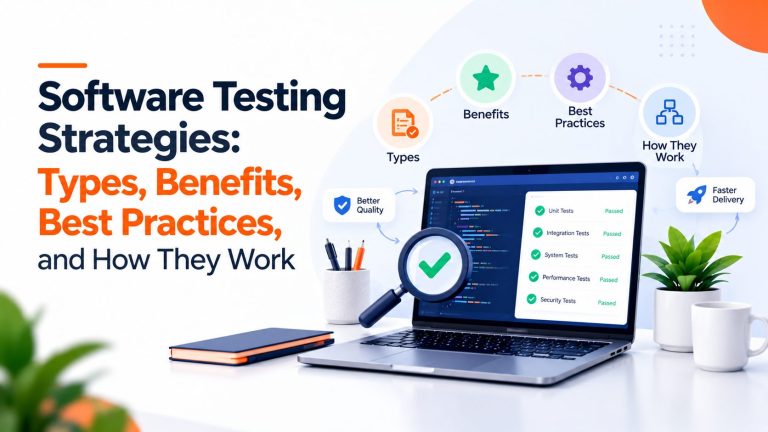
In this guide, you will learn what a testing strategy is, the main strategy types and testing levels, where security and performance checks fit, how to choose tools, and how to build and improve a strategy step by step. Every scenario below is a hypothetical example, written to show how the ideas work in a real project.
Quick answer: A software testing strategy is a high-level plan that sets what you test, how deeply, who does it, and when, based on risk. It combines testing levels (unit, integration, system, acceptance), testing types (functional, security, performance), and manual and automated methods into one coherent approach.
What Are Software Testing Strategies?
A software testing strategy is the high-level approach a team uses to decide what to test, how to test it, and when, so the product meets its quality goals. It sits above individual test cases and gives the whole testing effort a direction.
Software testing basics: what is software testing? Software testing is the process of evaluating a product to find defects and gather evidence about whether it behaves as intended. It includes running the software and also reviewing requirements and code without running anything. Done well, testing supports functional correctness, reliability, security, performance, and the overall user experience, and it touches every stage of the software development life cycle (SDLC), from reading requirements to monitoring after release.
Who shapes the strategy? Usually QA leads, developers, product managers, and often DevOps and security colleagues. In a small team, one senior engineer may own it. Larger organizations sometimes bring in external QA software testing services for specialized work such as device coverage or security assessments, in which case the strategy should say who owns what. Whoever writes it, the strategy should reflect project risk, technical complexity, business objectives, and how often you release.
Four terms get mixed up constantly, so here is a clean separation:
| Concept | What it means |
| Testing strategy | The high-level approach for achieving software quality |
| Test plan | The project-specific scope, resources, schedule, responsibilities, and execution details |
| Testing methodology | The process or development approach, such as Agile or Waterfall, that influences how testing is organized |
| Test case | A defined scenario with inputs, actions, expected results, and conditions |
Example: An e-commerce team writes a strategy that puts checkout reliability and payment security first, covers the payment provider and inventory service with integration tests, and runs an automated regression suite on every release candidate. The test plan for next month’s release then names the exact scope, dates, and owners.
Why Are Software Testing Strategies Important?
If you have ever shipped on a Friday and spent the weekend regretting it, you already know why this matters. A testing strategy pays off in ways you can feel within a few releases. Defects surface earlier, when they are cheaper to understand and fix, which cuts avoidable rework. Critical user journeys such as sign-up, login, and payment get protected on purpose instead of by luck. Regression checks become repeatable, so releases feel less like a gamble, and security and reliability get planned attention instead of a last-minute scramble.
It also changes how people work together. Developers, testers, and product managers share one picture of what “ready to ship” means, which reduces arguments late in the sprint. And because nobody can test everything, a strategy helps you spend limited time and budget where failure would hurt most. Over time that supports predictable releases and calmer maintenance.
Now the honest part. A strategy does not guarantee defect-free software, and no credible source promises that. Its value depends on execution: how well tests are designed, whether coverage reaches the risky areas, whether environments resemble production, whether test data is realistic, and how quickly the team acts on findings. A beautifully written strategy backed by flaky tests and ignored failures is just a document. Treat it as a living agreement that you check against reality and revise.
Types of Software Testing Strategies
Here the vocabulary gets slippery, because “testing strategy” is used at several levels. Some strategies decide what to prioritize (risk-based, requirements-based). Some describe how tests are designed (model-based and methodical approaches). Others describe how testing fits into delivery (Agile, shift-left, continuous) or how it is carried out (manual, automated). Think of them as lenses you combine, not boxes you pick one from.
Risk-Based Testing Strategy
Risk-based testing ranks what to test by the likelihood that something fails and the damage it would cause if it did. It is the most practical way to spend limited testing time.
Start by listing critical features and the ways they could fail. Then judge each on business impact, technical complexity, security exposure, how many users touch it, and how often it changes. The resulting priority decides depth: high-risk areas get layered checks, low-risk areas get light coverage.
Example: A fintech team ranks payment processing, account access, and the handling of sensitive customer data at the top. Those areas get unit, integration, security, and regression coverage plus exploratory sessions, while a static “About us” page gets a quick smoke check. The approach works best when risk can be estimated honestly. It is weaker when the ranking is guesswork, so revisit it after incidents and major changes, because risk moves.
Requirements-Based Testing Strategy
Requirements-based testing derives tests directly from stated requirements and acceptance criteria, so every requirement is checked by at least one test. A traceability matrix, even a simple spreadsheet, shows which requirements are covered and which are not, including non-functional ones such as response time or accessibility.
Example: Take the requirement “A password reset link expires after 30 minutes.” It becomes several scenarios: a link used at minute 10 works, a link used at minute 31 is rejected, a link that was already used is rejected, and a tampered link fails with a safe error message. The strength here is traceability, which regulated products often need. The weakness is that tests only find what the requirements imagined, so vague criteria produce weak tests.
Model-Based and Methodical Testing Strategies
These approaches help you design tests systematically instead of by instinct. Model-based testing represents expected behavior as a model, such as a state diagram or decision table, and derives tests from it. Methodical approaches apply established design techniques, including equivalence partitioning (grouping inputs that should behave alike) and boundary value analysis (testing the edges, where defects often hide).
Example: A password field accepts 8 to 16 characters. Boundary analysis points you to 7, 8, 16, and 17 characters. In a second case, an order moves through placed, paid, shipped, and delivered. A state-transition model makes invalid moves obvious, such as shipping an unpaid order, so you can verify the system blocks them. Some teams call these strategies and others call them test-design techniques. Both labels are common, so say which you mean.
Agile, Shift-Left, and Continuous Testing Strategies
In Agile teams, testing is not a phase at the end. It runs alongside development in every iteration. Shift-left testing pushes quality activities earlier: testers review requirements and designs, developers write unit tests as they code, and pull requests trigger automated checks. Continuous testing extends this into CI/CD pipelines, where each commit and merge runs fast checks and returns feedback in minutes.
A typical flow looks like this: unit tests run on every commit, integration tests run on merge, a smaller end-to-end suite runs before deployment to staging, and smoke checks run after each deployment. Shift-left does not mean every test must happen early. A realistic performance test, for instance, only makes sense once there is a realistic environment. And automated checks only confirm what you thought to check, so human judgment still matters.
To see how this plays out end to end, here is how checks typically shift as a change travels from idea to production:
| Stage | Typical checks | Main goal |
| Requirements and design | Requirement reviews, acceptance criteria, risk ranking | Prevent misunderstandings |
| Commit and pull request | Unit tests, static analysis, linting | Feedback in minutes |
| Merge and build | Integration and API tests, dependency scanning | Catch boundary problems |
| Staging and pre-release | Regression, end-to-end, scheduled security and performance runs, acceptance | Release confidence |
| Deployment | Smoke tests, phased or canary rollout | Confirm the build is alive |
| Production | Monitoring, alerts, synthetic checks, user feedback | Spot what testing missed |
Manual and Exploratory Testing Strategies
Manual testing means a person operates the software and judges the result. Exploratory testing is a disciplined form of it: the tester designs and runs experiments at the same time, following curiosity and evidence rather than a script. It shines when requirements are changing, when a feature is new, or when the question is subjective, such as whether an onboarding flow feels confusing.
It also catches the unexpected, like what happens when a user pastes emoji into a name field and presses back mid-checkout. Even in heavily automated teams, a skilled software tester asks questions a script never will. The limit is repeatability, so turn valuable findings into automated checks.
Automated and Regression-Focused Testing Strategies
Software automated testing uses scripts and tools to run checks repeatedly and consistently, which suits frequent releases and regression prevention. Good candidates are stable, high-value, frequently repeated checks such as login, checkout, and core API responses. Poor candidates are screens that change weekly and judgments about look and feel.
Plan for the costs. Suites need maintenance as the product changes, and flaky tests, which pass and fail without any code change, erode trust quickly. Investigate them instead of rerunning until the build turns green. A passing suite proves only that the checks you wrote passed, so people still need to review results and decide what to test next.
Hybrid Testing Strategy
Most real projects use a hybrid strategy, combining several approaches instead of selecting one. Example: A small team building a subscription web app uses risk-based ranking to decide that billing and account access come first. Those areas get unit and API tests plus an automated regression suite in CI. Security scanning runs on each merge, a load test runs before major launches, and a tester explores each new feature during the sprint. Every approach covers a gap the others leave.
Software Testing Levels and Types: How They Work
Software testing and types of testing can sound like alphabet soup, so start with one distinction. Testing levels describe where in the system a test operates: unit, integration, system, and acceptance. Testing types describe which quality characteristic you are checking, such as functional behavior, security, or performance. Every test has both. A login API check is an integration-level test of functional behavior, while a load test of the whole application is a system-level performance test. This table shows how the main ones compare.
| Test | Main purpose | Example use case |
| Unit | Checks one function or component in isolation | A tax function returns the right amount for valid, invalid, and boundary inputs |
| Integration | Checks that connected parts work together | An order service saves an order and calls a payment provider |
| Functional | Checks behavior against functional requirements | Registration rejects a duplicate email address |
| System | Checks the complete application end to end | A shopper browses, adds to cart, pays, and receives confirmation |
| Acceptance | Confirms agreed business or user criteria are met | A finance team signs off on invoice generation |
| Regression | Confirms existing features survive a change | Discount codes still apply after a checkout update |
| Smoke | Checks a build is stable enough for deeper testing | The app starts, login works, one basic transaction completes |
| Security | Finds weaknesses and verifies protective controls | A user cannot open another customer’s order by editing an ID |
| Performance | Measures speed, stability, and capacity under load | Response times stay acceptable as concurrent users rise |
Unit Testing
Software testing unit checks target the smallest testable pieces, such as a function or method, in isolation from databases, networks, and other components. Mocks or stubs stand in for dependencies so the test stays fast and focused. Fast feedback is the whole point, because developers run these constantly. Example: a tax calculation function tested with valid amounts, missing or negative values, and the exact thresholds where the rate changes.
Integration Testing
Integration testing software checks that connected pieces, such as APIs, databases, and services, communicate correctly. Where a unit test fakes the neighbors, an integration test uses the real thing or a close test double. Example: confirm that an order service stores an order and sends the right request to a payment provider’s sandbox. Many serious bugs live at these boundaries, in mismatched fields or timeouts, which unit tests cannot see.
Functional Testing
Software testing functional checks verify that the application does what the requirements say, from the user’s or the system’s point of view. Typical examples include logging in with valid and invalid credentials, searching with filters, registering an account, uploading allowed and disallowed file types, and completing checkout. It is about behavior rather than internals, and it overlaps with system and regression testing.
System and Acceptance Testing
System testing exercises the complete, integrated application in an environment close to production, checking functional and non-functional behavior together. Acceptance testing asks a different question: does this satisfy the agreed business or user criteria? Testers can validate the system technically, but the acceptance decision belongs to authorized stakeholders such as a product owner, client, or compliance reviewer.
Regression Testing
What is regression testing in software testing? It is re-running previously passing tests after a change to confirm that nothing that used to work has broken. Triggers include new code, bug fixes, dependency updates, and configuration changes.
Example: A team adds a new shipping option at checkout. The regression suite reveals that discount codes now calculate against the wrong subtotal, so order totals are off. The new feature worked, but an old one quietly broke. Automation suits regression well because the same checks repeat every release.
Smoke and Sanity Testing
What is a smoke test in software? A smoke test is a small, quick set of checks that tells you whether a new build is stable enough to deserve deeper testing. It covers essentials: does the application start, can a user log in, does one basic transaction complete? If it fails, the build goes back to developers instead of consuming hours of tester time.
Sanity testing is narrower. After a specific fix or small change, it checks that the affected functionality behaves sensibly. Terminology varies between teams and organizations, so agree on local definitions rather than assuming everyone shares yours.
Security Testing
Within software testing, security testing looks for weaknesses and verifies that protective controls work. Relevant areas include authentication, authorization and access control, input validation, exposure of sensitive data, vulnerable dependencies, and API security. Routine checks such as static code analysis, dependency scanning, and automated scans of a running application can run in your pipeline.
Penetration testing and specialist security assessments go deeper. They are expert-led exercises that simulate real attackers, and they complement routine checks rather than replace them. The OWASP Web Security Testing Guide is a respected reference for what to examine in web applications and services.
Software Performance Testing
What is software performance testing? It evaluates how a system behaves under load, measuring response time, throughput, resource utilization such as CPU and memory, how well it handles concurrent users, and whether it stays stable. Software test performance results tell you whether the experience holds up when real traffic arrives.
Load testing checks expected traffic. Stress testing pushes beyond it to find limits. Spike testing applies sudden surges, and endurance (soak) testing holds load for hours to expose leaks and slow degradation. The Grafana k6 documentation describes these types and notes that categories are relative to your use case. Example: a web app’s concurrent users double during a sale, and testing shows whether checkout stays responsive or the database begins timing out.
Other Relevant Testing Types
Depending on your product, you may add compatibility testing (browsers, devices, operating systems), usability testing (can real people complete their tasks?), accessibility testing (can people using assistive technology use it?), and recovery or reliability testing (does it come back cleanly after a crash or failover?). Your users and risks decide which ones earn a place.
Manual Testing vs. Automated Software Testing
This is rarely an either-or choice. The table below compares what each approach is good at.
| Factor | Manual testing | Automated testing |
| Execution method | A person performs and judges each check | Scripts and tools run checks without a person |
| Initial setup effort | Low; testers can start quickly | Higher; frameworks, scripts, and data must be built |
| Repeatability | Slow and varies between runs | Consistent and easy to repeat |
| Feedback speed | Slower, limited by people’s time | Fast, especially inside CI/CD pipelines |
| Maintenance | Test notes need updating | Scripts break when the product changes and need upkeep |
| Suitable scenarios | Exploration, usability, new or changing features | Regression, smoke checks, stable and critical flows |
| Key limitations | Hard to scale; results depend on the tester | Cannot judge look and feel; flaky tests erode trust |
Automation earns its keep when tests are repeatable, stable, important, and frequently executed. Manual testing remains the better tool for exploration, subjective usability judgments, and investigating odd behavior. Neither approach always saves money, and neither replaces the other.
Decision example: A team automates a critical login regression suite because it runs on every build and rarely changes. For a newly redesigned onboarding experience, they schedule exploratory sessions instead, because the design is still shifting and the real question is whether new users understand it.
Software Testing Tools: How to Choose the Right Ones
What are software testing tools? They are programs and frameworks that help you design, run, track, and report on tests, from unit test runners to load generators and security scanners. Choose them by testing objective, not popularity. The examples below are representative, not endorsements, and not every tool fits every stack. Check current capabilities, licensing, and documentation before you commit.
| Purpose | Representative examples | Worth knowing |
| Unit testing | JUnit, pytest, Jest | Usually tied to your programming language |
| Browser and end-to-end | Playwright, Selenium, Cypress | Playwright drives Chromium, Firefox, and WebKit through one API |
| API testing | Postman, automated API test libraries | Good for fast checks below the user interface |
| Performance | k6, Apache JMeter | Scriptable load generation for CI or scheduled runs |
| Security | ZAP (formerly OWASP ZAP), static and dependency scanners | ZAP is an open-source dynamic scanner for running web apps |
| Test management and reporting | TestRail, Xray, Zephyr, or built-in CI reports | Match depth to team size and audit needs |
When comparing options, assess technology compatibility, ease of adoption, CI/CD integration, reporting and debugging support, maintenance effort, scalability and parallel execution, access to test environments, and total cost of ownership, including training and upkeep. A free tool that nobody on the team can maintain is not free. Small pilots on one real workflow reveal more than any feature checklist.
Performance Benchmarks and A/B Testing: What Is the Difference?
Both terms show up in testing conversations, yet neither is ordinary defect testing, and they answer very different questions.
Benchmark Testing
A benchmark software test establishes a baseline measurement under defined conditions so you can compare versions, configurations, or infrastructure fairly. When you benchmark test software, you typically record response time, throughput, and CPU or memory use for a stated workload on a stated environment, and you make the run repeatable. Without consistent conditions the numbers cannot be compared, and without transparent measurement methods they cannot be trusted. Never call a result an industry standard unless a credible published source supports it. A benchmark describes your system on your setup, not software in general.
A/B Testing Software
A/B testing software compares two or more product experiences by showing them to different groups of users and measuring a defined outcome, such as signup completion or task success. It is a product experimentation method. It does not replace unit, integration, security, or regression testing, because it tells you which design performs better, not whether the code is correct. Both variants should meet basic quality, privacy, accessibility, and reliability expectations before you interpret results, or a bug in variant B may be mistaken for a weak design.
Software Testing Trends Shaping Strategies in 2026
Three shifts are changing how teams build strategies this year. None of them replaces the fundamentals above, but each deserves a line in your plan.
AI-assisted testing. Tools can now suggest test cases, generate test data, and help sort through failures. That speeds up routine work, but a generated test still needs a human to confirm it asserts something meaningful. An AI-written test that simply mirrors the code’s current behavior can lock in a bug instead of catching it. Treat these tools as a fast assistant, not a source of truth.
Testing AI-enabled features. If your product uses machine learning or large language models, outputs can vary from run to run, so exact-match assertions often fail. Teams respond with curated evaluation sets, threshold-based checks, sampled human review, and guardrail tests for safety and privacy. In strategy terms, this adds a new risk category rather than a new religion.
Shift-right and observability. Logs, metrics, traces, feature flags, canary releases, and synthetic monitoring extend testing into production, where real traffic reveals what staging cannot. This complements pre-release testing instead of replacing it: catch what you can early, and protect user data when you observe the rest.
Software Testing Best Practices for 2026
These practices apply whether you have one tester or twenty. Each comes with a small implementation idea you can use this week.
- Define clear objectives and acceptance criteria. Write criteria a stranger could check, such as “search returns results in under two seconds for the standard dataset.”
- Prioritize by risk and business impact. Keep a short ranked list of critical journeys and review it each quarter.
- Test early and continuously. Invite a tester to refinement meetings so unclear requirements surface before code exists.
- Keep a balanced suite. Favor many fast unit tests, a solid middle layer of integration tests, and a few end-to-end checks. Martin Fowler’s test pyramid explains the reasoning.
- Automate stable, repetitive, high-value cases. Start with login and checkout, not the screen being redesigned.
- Keep test data representative, safe, and controlled. Use masked or synthetic data, never raw customer records.
- Use realistic environments. Mirror production configuration, versions, and dependencies where it matters.
- Cover security, performance, accessibility, and compatibility where relevant. Schedule them deliberately instead of hoping someone remembers.
- Investigate flaky tests. Quarantine them, assign an owner, and fix the cause rather than rerunning.
- Track meaningful indicators. Escaped defects, flaky-test rate, and pipeline time say more than raw test counts.
- Maintain test cases. Retire or update tests whenever requirements change, as part of the same ticket.
- Treat results as evidence. A release decision should weigh risk, coverage, open defects, and trends, not one green checkmark.
How to Build a Software Testing Strategy Step by Step
Step 1: Understand the Product and Its Risks
Identify users, core workflows, dependencies, sensitive data, technical constraints, and what failure would cost.
Step 2: Define Testing Objectives and Scope
State what must be validated, which quality attributes matter most, and what is out of scope for now.
Step 3: Select Testing Levels, Types, and Techniques
Map unit, integration, functional, acceptance, regression, security, and performance testing to real risks and requirements, not to a template.
Step 4: Decide What to Automate
Prioritize repeatable, high-value checks. Keep exploratory and judgment-heavy work in the plan on purpose.
Step 5: Prepare Environments and Test Data
Settle configuration, dependencies, access controls, data privacy, and how to reset to a known state for repeatable runs.
Step 6: Integrate Tests Into the Development Workflow
Decide where tests run, how failures are reported, who investigates them, and which checks must pass before release.
Step 7: Measure, Review, and Improve
Review defects, test reliability, escaped defects, execution time, and coverage of important risks. Update the strategy after major product or architecture changes.
Example: A four-person team building a booking web app ranks payments and calendar sync as highest risk, scopes the first quarter to the booking journey, and chooses unit tests, API integration tests, and a short end-to-end suite. They automate booking and payment checks, keep exploratory sessions for new screens, use masked sample data in staging, run fast checks on every pull request and smoke checks after each deployment, and review escaped bugs monthly.
Common Software Testing Mistakes to Avoid
- Testing only at the end. Involve testers in requirements and design, and run checks on every change.
- Treating coverage as proof of quality. Coverage shows what code ran, not whether assertions were meaningful. Review what tests actually verify.
- Automating unstable or low-value scenarios. Automate after a feature settles, and only where the check will be reused.
- Ignoring integration failures. Add tests at service boundaries, where mismatches hide.
- Using unrealistic or uncontrolled test data. Build data sets that reflect real shapes and edge cases, and reset them reliably.
- Skipping security or performance checks on critical systems. Schedule them early and rerun after significant changes.
- Living with flaky tests. Track them, fix causes, and stop treating reruns as a strategy.
- Letting tests drift from requirements. Update tests in the same change that updates the behavior.
- Using one green run as the release criterion. Combine results, risk assessment, open defects, and trends.
Software Testing Strategy Checklist
Use these questions before a release. A “no” is not a failure, only a gap worth naming.
- Are requirements and acceptance criteria clear and testable?
- Have the highest-risk workflows been identified and covered?
- Do unit and integration tests protect the changed areas?
- Have functional and regression tests passed on the release candidate?
- Did smoke tests pass after deployment to the test environment?
- Are security and performance requirements checked where they apply?
- Are test data and environments ready and realistic?
- Is the automation reliable, with flaky tests tracked?
- Does every open defect have an owner and a release decision?
- Are monitoring and a feedback channel ready for after release?
Conclusion
An effective approach to software testing strategies blends the right priorities, testing levels, techniques, tools, and feedback loops. No single strategy suits every application. The right one depends on your product’s risk, architecture, team capabilities, user expectations, and release frequency, and it should keep changing as those do.
A useful next step is small: list your five most critical user journeys, check how each is tested today, and fix the riskiest gap first. Strategy improves one honest review at a time.