






Why PHP2Shell Patching Is Urgent in 2026
On 21 October 2026, vendors and national agencies gave administrators the same instruction: update PHP now. The PHP project had released fixes for two critical flaws, CVE-2026-109618 and CVE-2026-109619, known together as PHP2Shell. The Canadian Centre for Cyber Security warned that internet-facing PHP servers and applications are at heightened risk.
Each flaw is a PHP remote code execution vulnerability. Under affected conditions, an attacker with no login could run code on the server. Wiz Research also showed that one of the flaws can expose sensitive data held in PHP worker memory, such as passwords, tokens and API keys. Either outcome can mean data loss and downtime.
Disclosed vulnerabilities attract attackers quickly. The Cyber Centre noted open-source reports of a proof of concept on release day, and Fastly said it was seeing evidence of active attacks. Reports on exploitation vary, so the safe assumption is that an exposed, unpatched server is a target.
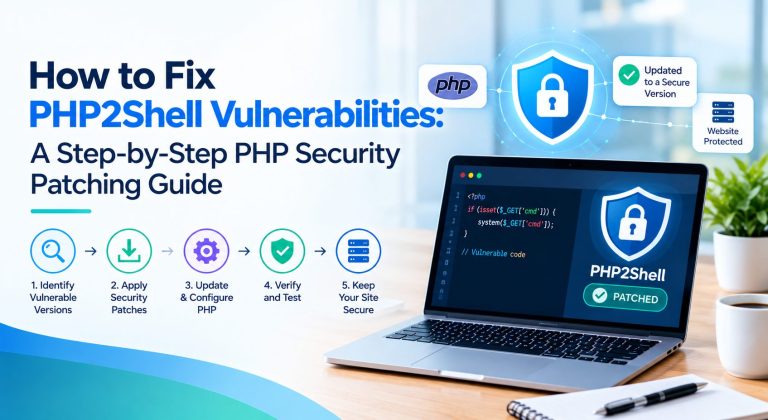
This PHP security patching guide shows how to fix PHP2Shell vulnerabilities in a sensible order: find every PHP installation, apply the right patch, reduce exposure if you cannot patch yet, verify the result, and check for compromise. Use it as your PHP2Shell vulnerability fix plan and as a PHP security patch 2026 runbook for the whole team.
How to Fix PHP2Shell Vulnerabilities: The Short Version
- Find every PHP runtime you operate, including containers, workers and the PHP bundled inside control panels.
- Install the fixed PHP release for your branch, or your vendor’s verified backported package.
- Restart PHP-FPM, Apache and any long-running PHP processes so the patched code loads.
- If you cannot patch immediately, apply PHP’s temporary mitigations and restrict access, knowing they are not a fix.
- Verify the running runtime, test the application and investigate for compromise.
Not sure which PHP version your applications run? Share your stack and our engineers will tell you which fix applies to you, even if the answer is that your host just needs to update.
What Are the PHP2Shell Vulnerabilities?
PHP2Shell is the name given to two vulnerabilities in the PHP engine, the software that executes PHP code on a server. Remote code execution (RCE) means an attacker can run their own commands on your server from a distance. When it is unauthenticated, the attacker needs no account first, which is why this class of flaw is treated as an emergency.
According to the PHP advisories, the two flaws differ in mechanism. CVE-2026-109618 is an out-of-memory problem: PHP can be interrupted while request data is only partly set up, and cleanup then treats the invalid data as valid. CVE-2026-109619 involves request state that survives after its memory is freed, so a later request on the same worker may use stale data. Google Cloud reports that both carry a critical CVSS score of 9.2.
PHP says all installations serving web requests are at risk, including PHP-FPM, Apache with mod_php, php-cgi, FrankenPHP and LiteSpeed. It rates the risk highest for mod_php, because a demonstrated exploit lets an unauthenticated request trigger the flaw before any application code runs. That makes any Apache mod_php vulnerability exposure a priority.
A vulnerable server is not the same as a compromised one. Running an unpatched version means you are exposed, not that you were attacked. We leave out exploit details on purpose, since they are not needed to fix anything.
Because the flaw is in the runtime, your application code is not the problem and not the cure. Automattic stressed that updating WordPress, a theme or plugins alone does not fix the underlying PHP vulnerability. The same is true of upgrading a framework such as Laravel or Symfony. Only a patched PHP runtime closes these holes.
Read – PHP2Shell Security Crisis 2026: Critical PHP Vulnerabilities, Global Impact, And How To Protect
Which PHP Versions Need Security Updates?
The PHP security team released fixes for the four supported branches, so PHP2Shell affected PHP versions are defined branch by branch. Any release below the fixed number in its branch is affected. Google Cloud lists the vulnerable range as PHP 5.4 through 8.5.11.
| PHP branch | Fixed release | Affected versions |
| PHP 8.5 | 8.5.12 | 8.5.11 and below |
| PHP 8.4 | 8.4.27 | 8.4.26 and below |
| PHP 8.3 | 8.3.36 | 8.3.35 and below |
| PHP 8.2 | 8.2.35 | 8.2.34 and below |
Fixed versions are confirmed by the PHP security announcement and the Canadian Cyber Centre alert. Re-check them before you publish or act.
A fixed version number only means something for the right branch and an authentic package. Download PHP source from php.net, or use packages from your operating system, hosting provider or LTS vendor.
PHP 8.1 and older
These branches no longer receive upstream security updates, and the PHP project has not released an official fix for them. PHP’s advisory says some distributions and LTS vendors provide backported fixes, so you must check your vendor or upgrade to a supported version. The PHP security team also published minimal source backports for 7.4, 8.0 and 8.1 for people who build from source.
Greenbone reports that Debian, Red Hat and Ubuntu have published fixed packages, including for some branches PHP no longer supports. On managed serverless platforms the position can differ: Google Cloud says unsupported runtimes will not be patched, and applications on PHP 8.1 or earlier must move to 8.2 or newer.
Do not trust the version number alone
A vendor can fix PHP2Shell without changing the version string. Plesk, for example, patched its end-of-life 7.4.33, 8.0.30 and 8.1.34 builds with the same version number but a build date of 21 October 2026. Ubuntu 24.04’s fixed PHP 8.3 package is still numbered 8.3.6 with a new revision suffix. Equally, an old number does not prove you are safe. Check your vendor’s advisory and package changelog.
Step 1: Identify Every PHP Installation
Good PHP vulnerability remediation starts with an inventory, because you cannot patch what you have not found. Build an inventory that covers the command line, the web server, PHP-FPM pools, Apache and LiteSpeed configuration, Docker images and containers, staging environments, background workers and production servers. Include PHP bundled with third-party software and hosting control panels. The Dutch NCSC publishes an inventory of products with a PHP dependency that is worth checking.
Here is how to check PHP version on a server from the command line:
php -v
php-fpm -v
Remember that php -v reports the command-line version only. It may not match the runtime your website uses. The php-fpm binary may carry a version suffix, such as php-fpm8.3.
To see what the web server actually runs, on a systemd host you can list running PHP-FPM services and, for Apache, list loaded modules:
systemctl list-units –type=service –state=running ‘php*-fpm*’
apache2ctl -M | grep -i php
On RHEL-family systems the Apache command is httpd -M. Service names differ by distribution.
A phpinfo() page also shows the version your web runtime uses. Use it only in a controlled environment and delete it right afterwards. A publicly accessible phpinfo page on a production server leaks configuration details that attackers can use.
For containers, check the base image tag in each Dockerfile and run php -v inside the running container, for example with docker exec <container> php -v. A rebuilt image on disk does not prove the container you are running uses it.
Control panels often ship their own PHP. Plesk’s panel runs on a separate PHP engine, and Plesk fixed that engine in Obsidian 18.0.81 Update 4 and 18.0.80 Update 11, apart from the PHP versions your sites use. Checking one installation is never enough when you run several applications or servers.
Step 2: Apply the Correct PHP Security Patch
This is how to patch PHP vulnerabilities safely and how to update PHP securely. Work through this sequence for each system, including any PHP-FPM security update:
- Identify the affected PHP branch and how it is deployed.
- Back up relevant configuration and confirm you can recover.
- Read the official PHP advisory and your hosting or operating system vendor’s guidance.
- Update to the fixed release, or install your vendor’s verified backported security package.
- Update the runtime the web application actually uses, not only the command-line PHP.
- Restart or reload PHP-FPM, Apache and other PHP services as your vendor instructs. A running server keeps the old code until its processes restart.
- Confirm that every relevant worker and server runs the updated runtime.
The route differs by environment, as the table below shows. Commands differ by operating system, repository and hosting setup, so follow your vendor’s documented procedure rather than a generic command.
| Environment | What to do | Check |
| Shared hosting | Ask your provider to patch, or use its supported PHP management tools. | Written confirmation of the patched version and restart. |
| VPS or dedicated server | Use your OS package manager or your provider’s documented upgrade procedure. | Package changelog mentions CVE-2026-109618, and PHP-FPM or Apache was restarted. |
| cPanel and Plesk | Follow the platform advisory. cPanel released patched EasyApache 4 builds for PHP 7.4 and above, and Plesk released patched PHP and panel updates. | Installed package versions and build dates match the advisory. Update the panel’s own PHP too. |
| Docker | Update the base image, rebuild, redeploy and retire old images. | The running container reports a patched version, not just the image on disk. |
| Cloud and managed platforms | Follow the provider’s advisory. On Google Cloud, App Engine standard updates automatically, while App Engine flexible, Cloud Run builds without automatic base image updates, and GKE images must be rebuilt and redeployed. | Redeploy completed and the live service uses the new runtime. |
Sources: cPanel, Plesk and Google Cloud.
One more warning for RHEL-family servers: PHP’s advisory notes that the volunteer-maintained Remi repository would not have updates on release day, and urges those users to switch to distribution packages or build from source. Check whether your repository has since caught up before you rely on it.
| Running PHP 8.1 or older?
A vendor backport buys time, but the lasting fix is an upgrade to a supported branch. Get a fixed-scope assessment with a list of breaking changes and an effort estimate. |
Step 3: Reduce Exposure If Immediate Patching Is Not Possible
For PHP server security, applying the official fix is the preferred and complete remediation. If a system cannot be updated today, follow the temporary measures in PHP’s advisory and get help from your hosting provider or security team. These steps reduce exposure to specific attack paths and, in PHP’s words, do not make an installation safe.
These are the PHP vulnerability mitigation steps PHP lists. For CVE-2026-109618:
- Set memory_limit to -1, preferably where applications cannot override it, such as php_admin_value in the PHP-FPM pool or Apache configuration. Check that nothing puts a limit back. An underlying allocation failure can still reach the vulnerable path.
- Set a low post_max_size: 8M if the application needs no uploads, or 32M if it does, with upload_max_filesize kept lower. Consider request, header, multipart and nesting limits at the web server or proxy.
- Use a container or cgroup limit as an availability boundary. Do not substitute RLIMIT_AS or RLIMIT_DATA, because these can cause the vulnerable allocation failure.
For CVE-2026-109619:
- Set session.upload_progress.enabled to 0 and restart every worker. Apply it in php.ini, a PHP-FPM pool or server configuration that takes effect before request parsing, not through ini_set() or .user.ini. This blocks the confirmed session paths but not other variants.
- On PHP 8.5 only, set fatal_error_backtraces to 0 and restart every worker. This blocks the confirmed backtrace path only.
- Fix attacker-reachable fatal errors and execution timeouts, and remove per-request settings that emit warnings before initialization. Hiding diagnostics does not help.
Beyond configuration, you can restrict public access to affected services, move admin panels behind a VPN or IP allowlist, and isolate vulnerable systems. The NCSC advises considering taking a system offline if you can neither update nor mitigate quickly, and the Cyber Centre suggests isolating internet-facing applications from public networks. Greenbone’s summary of CISA’s guidance goes further for systems that cannot be updated or still run PHP 8.1 or older: take them offline until patched or upgraded.
A web application firewall can add a layer. Google Cloud, for example, recommends enabling its Cloud Armor managed rules for file upload and remote file inclusion in preview mode first, plus a rule for oversized request bodies, as a defense-in-depth measure while patching continues. A firewall, request filtering or a temporary configuration change does not replace the official patch. Set a short deadline and name one person accountable for finishing it.
| Short on engineers this week?
Add experienced PHP and Laravel developers to your team for patching, upgrades and regression testing, without a long hiring cycle. |
Step 4: Test the Application After Patching
Patching can break things, and a homepage that loads proves nothing about whether every runtime is patched. Work through this list:
- Confirm the active PHP version and package status for the web runtime.
- Restart or recycle the worker processes, and confirm containers, background workers, staging and production are consistent.
- Test login, forms, file uploads, APIs, database connections and your critical workflows.
- Run regression tests and dependency checks.
- Review PHP and web server logs for new errors after the update.
Most vendors record the CVE in the package changelog, which is the better evidence when version numbers look old. cPanel documents this check for EasyApache 4 on RPM-based systems, replacing php81 with the version you want to test:
rpm -q –changelog ea-php81-php-cli | grep -m1 CVE-2026-109618
This command comes from cPanel’s advisory and applies to EasyApache 4 packages. Other setups use different package names, so check your vendor’s advisory for the equivalent.
Write down what you patched, the test results, any systems still outstanding and any temporary risk you have knowingly accepted. That record helps your team, your auditors and your insurer.
Step 5: Investigate Signs of a Possible PHP Server Compromise
Patching closes the door but does not tell you whether someone already used it. Treat investigation as a separate task. The Canadian Cyber Centre recommends reviewing web server, application, authentication and endpoint logs and looking at:
- Unexpected processes or commands launched by PHP or web server accounts.
- Unusual file changes and newly created accounts.
- Unexpected outbound network connections.
- Signs of exposed credentials, tokens or sensitive data.
Wiz warns that these flaws operate below the application layer, so application logs may show little. It suggests watching for unusual multipart requests followed by memory-limit errors or repeated HTTP 500 responses, unexpectedly large or malformed PHPSESSID response cookies, and unexplained PHP worker churn. The absence of obvious log entries does not prove that no compromise occurred.
If you find suspicious activity, follow your incident response procedure: isolate affected systems where appropriate, preserve evidence and involve qualified security specialists. If credentials may have been exposed, rotate them from a trusted environment and review access to connected systems. Not every vulnerable server has been attacked, but you should check rather than assume.
Step 6: Prevent Future PHP Security Incidents
PHP2Shell will not be the last emergency. If you want to know how to secure a vulnerable PHP website for the long term, this PHP security checklist for developers turns the lessons into habits, and it is the heart of PHP application security maintenance:
- Keep an inventory of PHP runtimes and dependencies, with an owner for each.
- Subscribe to official PHP and vendor security announcements.
- Set a patch-management process with clear deadlines for critical updates.
- Remove unsupported runtimes, or arrange a supported migration.
- Use least-privilege permissions and store credentials securely.
- Keep tested backups and disaster recovery procedures.
- Run recurring vulnerability scans and security assessments.
- Rebuild and redeploy patched container images, and test updates in staging first where you can.
Good PHP production server security is continuous maintenance, not a single emergency update.
When Should Businesses Get Help From PHP Developers?
Many teams can finish this work alone. If your hosting provider manages PHP, you may need only written confirmation. External help becomes useful when:
- Several production systems need coordinated patching.
- A legacy application has complex or undocumented dependencies.
- A PHP upgrade causes compatibility problems.
- You lack capacity for regression testing.
- You need ongoing maintenance and a regular PHP security audit.
The roles differ. PHP developers handle code compatibility, dependency upgrades and testing. DevOps engineers handle deployment and infrastructure. Security incident response specialists investigate suspected compromise, and developers do not replace them.
If you need extra capacity, HireDeveloper.dev offers PHP development services and PHP application maintenance services. You can add dedicated PHP developers to your team or hire PHP developers for upgrade and maintenance work, and our PHP 7 to PHP 8 migration service starts with a fixed-scope assessment. We provide development capacity, not emergency incident response.
Final PHP2Shell Remediation Checklist
| Done | Action |
| ☐ | Inventory every PHP installation, including containers, workers and bundled PHP. |
| ☐ | Identify affected branches and deployment types. |
| ☐ | Apply the correct official patch or verified vendor fix. |
| ☐ | Use temporary mitigations only while you arrange the real fix. |
| ☐ | Restart and verify the relevant services. |
| ☐ | Test critical application functionality. |
| ☐ | Investigate suspicious activity and rotate exposed credentials. |
| ☐ | Document remediation and any outstanding risk. |
Prioritize vulnerable internet-facing PHP systems first, and remember that temporary mitigation is not the same as patching. That is how to fix PHP2Shell vulnerabilities with the least risk and the least wasted effort.
If you need help maintaining or upgrading PHP applications, you can explore PHP development and maintenance with HireDeveloper.dev. If your team can handle it in-house, the checklist above is all you need.
| Need ongoing PHP maintenance and security reviews?
Managing client sites or a legacy PHP application you cannot upgrade in-house? Talk to us about maintenance and upgrade support delivered under your direction or your brand. |
Related Sources
- Wiz Research, PHP2Shell technical analysis
- PHP project, security announcement of 21 October 2026
- PHP security advisory GHSA-w8hw-w9fx-j79w (CVE-2026-109618)
- PHP security advisory GHSA-6wmf-4rv5-p3rp (CVE-2026-109619)
- Canadian Centre for Cyber Security, Alert AL26-026
- UK National Cyber Security Centre, Critical security issue affecting PHP
- cPanel, Critical PHP Security Release for CVE-2026-109618 and CVE-2026-109619
- Plesk, PHP2Shell remote code execution in PHP shipped with Plesk
- Google Cloud, Responding to core PHP vulnerabilities
- RH-ISAC, summary of PHP-provided mitigations