







Introduction
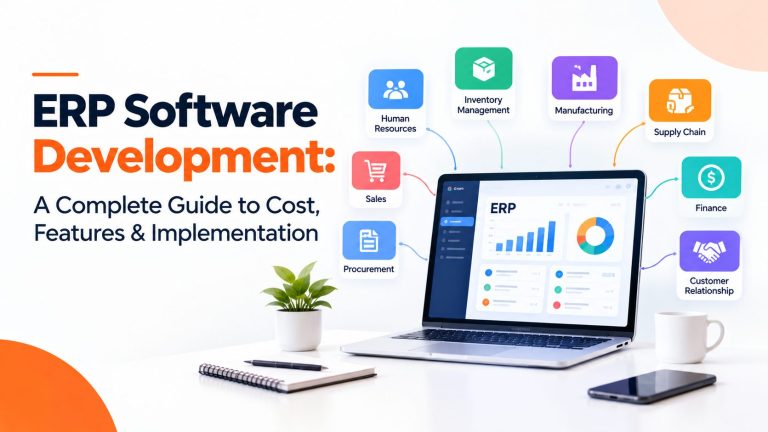
ERP software development is the process of designing, building, and deploying enterprise resource planning software that connects finance, inventory, procurement, sales, HR, and operations on one shared data model, either from scratch or by extending an existing platform. Companies invest in it when disconnected tools slow the month-end close, hide stock levels, and force teams to re-key the same data.
This guide covers what ERP software development costs (planning ranges from about $30,000 for a limited-module build to $2 million or more for complex enterprise programs), how long it takes (roughly 4 to 24 months), which modules matter, and how to choose between buying, customizing, and building. The decision involves more than software. Process design, data quality, and change management usually decide whether the investment pays off.
| Quick answers
Cost: about $30K to $150K (limited modules), $150K to $350K (mid-sized), $350K to $800K (multi-module), $800K to $2M+ (complex enterprise). Planning ranges, not quotes. Timeline: about 4 to 8 months for a limited build, 8 to 14 for mid-sized, 12 to 24 for enterprise, before stabilization. Custom or packaged? Packaged ERP fits standard processes. Build when your process is the competitive advantage and no platform can model it. Middle path: extend a platform such as Odoo, Dynamics 365, NetSuite, or SAP with custom modules. |
What Is ERP Software Development?
Definition: ERP software development is the design, build, integration, and deployment of enterprise resource planning software, either as a custom system or as custom modules on an existing platform, so core business processes share one database and one set of rules.
ERP stands for enterprise resource planning. SAP describes ERP as software that brings finance, HR, manufacturing, supply chain, sales, and procurement together with a single source of truth. The market is large and still growing. Mordor Intelligence estimates it at $71.62 billion in 2025, forecast to reach $120.96 billion by 2031 (a 9.12% CAGR). Other firms publish different figures, for example TechSci Research lists $82.01 billion for 2025. The gap comes from scope definitions, so treat any single number as a forecast, not a fact.
ERP is not the same as its neighbors:
- Accounting software manages ledgers, payables, and receivables. An ERP finance module covers that and links it to inventory, purchasing, and payroll.
- CRM manages customer relationships and pipeline. ERP either includes a CRM module or integrates with one.
- A set of disconnected apps each keep their own copy of the data. ERP keeps one record and lets each function work from it.
Four terms are often blurred. ERP development builds or extends the software. ERP implementation configures, migrates data into, and rolls out a system. ERP consulting advises on selection and process design. ERP licensing is the right to use a vendor product. A project may involve all four, and each carries its own cost line.
When a business needs new or modernized ERP: month-end close keeps getting longer, nobody trusts stock numbers, teams duplicate data entry, compliance requirements outgrow spreadsheets, or a legacy system is nearing end of support. For example, SAP ECC mainstream maintenance ends in December 2027, with paid extended maintenance to 2030, according to Forrester.
How Does ERP Software Work?
An ERP system runs on a shared database. Modules such as finance, inventory, and sales read and write the same records, so a change in one place appears everywhere. Around that core sit user roles and permissions, workflow and approval rules, reporting dashboards, and APIs that connect external systems.
Example: one customer order. In a disconnected setup, a sales rep emails an order, a clerk re-keys it into a stock sheet, the warehouse prints a pick list, and accounts raises the invoice by hand days later. In an ERP:
- The sales order is entered once, and a credit check runs against the customer record.
- Inventory reserves stock automatically, or triggers a purchase requisition if stock is short.
- The warehouse picks, packs, and ships against the same order.
- Shipping confirmation creates the invoice and the receivable.
- The general ledger posts revenue and cost of goods sold, and dashboards update the same day.
The gain is fewer re-keys, fewer reconciliation arguments, and one number for stock and revenue.
Types of ERP Systems
ERP categories describe different dimensions, so they overlap. A custom ERP can be cloud-hosted. An industry-specific ERP can be delivered through an existing platform. Think in three questions: who builds it (general, industry, custom, or platform-based), where it runs (cloud, on-premises, hybrid), and how much it is tailored.
| Type | What it is | Best suited for | Trade-offs |
| General-purpose ERP | Packaged suite covering standard finance, supply chain, and HR. | Companies with conventional processes that value speed. | Limited flexibility. Processes may bend to the product. |
| Industry-specific ERP | Packaged ERP with sector features (for example regulated manufacturing). | Sectors with hard compliance or workflow needs. | Narrower vendor choice. Still needs integration. |
| Custom-built ERP | Software designed and coded for one organization. | Unique processes, multi-entity structures, strict ownership needs. | Highest upfront cost and ongoing maintenance duty. |
| Platform-based ERP | Existing platform extended with custom modules and integrations. | Most mid-market needs: standard core, a few unique areas. | Tied to platform roadmap and licensing. |
| Cloud ERP | Vendor or provider hosts the software, accessed over the internet. | Distributed teams, predictable operating costs. | Subscription costs, connectivity dependence. |
| On-premises ERP | Runs in your own data center or servers. | Strict data residency, air-gapped or tightly controlled environments. | You carry infrastructure, patching, and upgrades. |
| Hybrid ERP | Mix of on-premises and cloud components. | Phased cloud moves, regulated data kept local. | Integration complexity between tiers. |
Deployment trend: Mordor Intelligence reports cloud models held a 55.11% share of the ERP market in 2025 and projects hybrid models to grow fastest (15.48% CAGR through 2031). Both are forecasts and depend on how the research firm defines each category.
Custom ERP vs. Off-the-Shelf ERP
Short answer: buy packaged ERP when your processes are conventional and speed matters. Customize a platform when most needs are standard but a few workflows are unique. Build from scratch only when process uniqueness, integration complexity, or ownership requirements outweigh the extra cost and time. Custom is not automatically better or cheaper.
| Factor | Packaged ERP | Platform plus custom modules | Fully custom ERP |
| Initial investment | Lowest | Medium | Highest |
| Licensing and recurring cost | Per-user or per-module fees continue | Platform fees plus support of custom code | No vendor license, but you fund hosting and engineering |
| Customization | Configuration, limited extension | High within platform rules | Total |
| Deployment speed | Fastest | Medium | Slowest |
| Integration | Vendor connectors, custom work for gaps | Connectors plus custom APIs | Designed to your landscape, all built by you |
| Maintenance | Vendor handles the core | Shared with vendor | Entirely yours |
| Upgrades | Vendor schedule, may break customizations | Vendor schedule plus testing of your modules | Your roadmap and budget |
| Vendor dependence | High | Medium to high | Low on software, high on your dev team |
| Scalability | Defined by vendor tiers | Platform limits apply | Defined by your architecture |
| Ownership and control | Licensed, not owned | Custom code owned, platform licensed | Full ownership of code and roadmap |
Build-versus-buy decision framework
Score your project on six factors. The pattern of answers points to buy, customize, or build. This is a decision aid, not an industry standard.
| Factor | Leans buy | Leans customize | Leans build |
| Process uniqueness | Standard order-to-cash and procure-to-pay | Mostly standard, 2 to 3 distinctive workflows | Core workflow is your competitive edge |
| Integration complexity | Few systems, vendor connectors exist | Several systems, some custom APIs | Many legacy or proprietary systems |
| Compliance requirements | Common standards the vendor already meets | Extra audit or reporting needs | Unusual regulation no product covers |
| Budget | Limited, needs fast payback | Moderate, can fund targeted builds | Can fund a multi-year program |
| Internal technical capability | Small IT team | IT team plus partner | Product-minded engineering leadership |
| Long-term ownership | Happy to rent | Want control of key modules | Need to own IP and roadmap |
If four or more factors lean the same way, follow that path. If answers are mixed, platform-based customization is usually the lower-risk default.
Essential ERP Modules and Features
Requirements depend on industry, company size, workflows, and compliance needs. Core modules for most businesses are finance and accounting, inventory, procurement, sales and order management, reporting, and security with audit trails. Optional modules such as manufacturing planning, HR, CRM, project management, and document management follow your operating model. No ERP needs every module on day one.
| Module | Purpose | Typical users | Problem it solves |
| Financial management and accounting | General ledger, payables, receivables, budgeting, tax, consolidation | Finance team, CFO, auditors | Slow close, inconsistent numbers |
| Inventory and warehouse management | Real-time stock, locations, reorder points, transfers | Warehouse, operations | Stockouts, overstock, inaccurate counts |
| Procurement and supplier management | Requisitions, purchase orders, supplier scoring | Purchasing, finance | Maverick spend, late deliveries |
| Supply chain management | Planning, logistics, multi-tier supplier visibility | Supply chain leads | Poor end-to-end visibility |
| Manufacturing and production planning | BOMs, MRP, capacity, shop-floor tracking | Planners, plant managers | Missed schedules, material shortages |
| Human resource management | Employee records, time, leave, payroll links | HR, managers | Manual HR processes |
| Sales and order management | Quotes, orders, pricing, fulfillment status | Sales, customer service | Order errors, slow quoting |
| CRM | Leads, accounts, pipeline, service tickets | Sales, support | Fragmented customer data |
| Project management | Budgets, tasks, time, billing | Project managers | Unprofitable or late projects |
| Reporting and business intelligence | Dashboards, scheduled and ad hoc reports | Executives, analysts | Stale or conflicting reports |
| Document management and workflow automation | Document storage, approvals, rules | All departments | Email-based approvals, lost paperwork |
| Security, permissions, audit trails | Role-based access, logging, change history | IT, compliance | Unauthorized changes, audit gaps |
Benefits of Custom ERP Software Development
Custom or customized ERP can deliver practical gains when it is scoped well:
- Workflow alignment: screens and approvals follow how you actually work, not a vendor default.
- Cross-department integration and less duplicate entry: one record replaces several copies.
- Consistent reporting and visibility: finance, sales, and operations read from the same data.
- Process automation: approvals, reconciliations, and alerts run on rules instead of email.
- Industry-specific support: rules for niche regulation or unusual pricing can be modeled directly.
- Legacy integration and roadmap control: you decide what ships next and when.
The trade-offs are real. You fund the upfront build, carry maintenance and security responsibility, and depend on the development team that knows the code. Benefits depend on execution, so avoid any vendor that promises a fixed ROI before reviewing your processes and data.
ERP Software Development Cost in 2026
Short answer: most custom ERP projects fall between roughly $30,000 and $2 million or more. The tiers below are editorial planning ranges built around the span of figures that development firms publish (for example one offshore vendor lists $50K to $150K, $150K to $500K, and $500K to $2M+ for small, mid-market, and enterprise builds, and another lists $30K to $250K). They are not market prices, and no independent benchmark exists that covers every scope. Always request a scoped, line-itemed estimate.
| Tier | Scope and modules | Integrations and team | Planning range | Typical delivery |
| Small ERP MVP or limited-module | 1 to 3 core modules (for example inventory, orders, basic finance). Few user roles, single site. | 0 to 2 integrations. About 4 to 6 people. | $30K to $150K | 4 to 8 months |
| Mid-sized business ERP | 4 to 6 modules with workflow automation and reporting. Multiple roles, possibly 2 to 3 sites. | 3 to 6 integrations (accounting, e-commerce, payments). About 8 to 12 people. | $150K to $350K | 8 to 14 months |
| Multi-module custom ERP | 7 to 10 modules including manufacturing or project billing, mobile access, BI layer. | 6 to 12 integrations, data migration from legacy systems. About 12 to 20 people. | $350K to $800K | 10 to 18 months |
| Complex enterprise ERP | 10+ modules, multi-entity, multi-currency, strict compliance, high availability. | 12+ integrations, large migration. 20 to 30+ people, phased rollout. | $800K to $2M+ | 12 to 24+ months |
What the ranges include: discovery, design, development, QA, deployment support, and basic training. What they usually exclude: third-party licenses, cloud infrastructure and hosting, large or messy data migration, extended training programs, and post-launch support. Budget annual maintenance separately. One vendor reports 15% to 20% of the build cost per year as a rule of thumb, which is a vendor-reported figure, not a measured average.
US-based vs. India-based development cost
One offshore vendor’s published 2026 rate card lists senior blended rates of about $120 to $200 per hour for US and Canada and $25 to $55 per hour for India. Treat these as one vendor’s published figures, not a survey. The number that matters is rate multiplied by hours, adjusted for seniority mix, rework, and management overhead. A lower rate with high rework can cost more than a higher rate that gets it right. Team composition (architect, tech lead, QA, business analyst) and delivery model (fixed price, dedicated team, staff augmentation) often move the budget more than geography.
Illustrative budget allocation (hypothetical)
The table shows how a hypothetical $400,000 mid-sized project might be allocated. It is an illustration, not a verified industry average.
| Phase | Share | Amount |
| Discovery and requirements | 8% | $32,000 |
| UI/UX and architecture design | 10% | $40,000 |
| Development | 36% | $144,000 |
| Integration | 14% | $56,000 |
| Testing (QA, security, UAT) | 14% | $56,000 |
| Deployment and cutover | 8% | $32,000 |
| Training and change support | 10% | $40,000 |
| Total | 100% | $400,000 |
Factors That Affect ERP Development Cost
| Cost driver | How it moves the budget |
| Number of modules | Each module adds data models, screens, rules, and tests. |
| Business process complexity | Exceptions, approvals, and pricing rules multiply logic. |
| User roles and locations | More roles mean more permissions design; more sites add localization and tax rules. |
| Customization depth | Deep changes to standard behavior cost more to build and to upgrade later. |
| Third-party integrations | Each external system needs mapping, error handling, and testing. |
| Legacy data quality and migration | Dirty or duplicated data adds cleansing and reconciliation work. |
| Security and compliance | Audit trails, encryption, and certification evidence add effort. |
| Web and mobile interfaces | Each additional client needs design, development, and testing. |
| Reporting and analytics | Custom dashboards and data warehouses add a parallel build. |
| Cloud infrastructure | Environments, monitoring, backups, and disaster recovery add recurring cost. |
| Testing requirements | Regression suites, performance tests, and security tests scale with scope. |
| Training and change management | Often underestimated, yet critical to adoption. |
| Maintenance and enhancements | Ongoing fixes, upgrades, and new features after launch. |
Poorly defined requirements, late scope changes, and overlooked integrations are the usual causes of budget growth. They surface after code is written, when changes are most expensive. A paid discovery phase that ends with approved requirements is cheaper than discovering gaps in testing.
ERP project readiness checklist
Use this before requesting quotes. It also helps you compare estimates on equal terms.
- Business processes are documented, at least at a high level.
- An approved executive project owner is named.
- Requirements are prioritized into must-have, should-have, and later.
- System owners are named for each module and each integration.
- An integration inventory lists every system the ERP must connect to.
- A data quality assessment covers duplicates, gaps, and formats.
- Security and compliance requirements are written down.
- Budget and timeline assumptions are agreed, including contingency.
- A training plan exists for each user group.
- A post-launch support plan defines who fixes what, and how fast.
ERP Development Process: Step by Step
Large ERP programs work best as phased releases: deliver the core finance and inventory modules first, then add modules in later releases. Each phase ends with a decision gate where the business confirms scope, budget, and readiness before the next begins.
| Phase | Objective and key activities | Deliverables | Major risk |
| 1. Business discovery and feasibility | Understand goals, pain points, constraints. Stakeholder interviews. | Feasibility summary, success metrics | Solving the wrong problem |
| 2. Requirements and process mapping | Document current and target processes, roles, reports, integrations. | Requirements specification, process maps | Gaps found late |
| 3. Build-versus-buy decision | Score options, shortlist platforms, estimate cost. | Decision memo, high-level budget | Sunk-cost bias toward building |
| 4. Architecture and technology selection | Choose stack, data model, hosting, security model. | Architecture document, tech stack decision | Over-engineering or lock-in |
| 5. UI/UX and prototype design | Role-based workflows, wireframes, clickable prototype. | Approved prototype | Screens that users reject |
| 6. Development and module configuration | Sprint-based build, demos every 2 weeks, CI/CD. | Working modules, test builds | Scope creep |
| 7. Integration and data migration | Connect systems, map and cleanse data, trial migrations. | Integration specs, migration scripts, reconciliation reports | Data errors, interface failures |
| 8. QA and security testing | Functional, performance, regression, and security tests. | Test reports, fixed defects | Insufficient coverage |
| 9. User acceptance testing | Business users test real scenarios. | Signed UAT acceptance | Users not available to test |
| 10. Deployment and training | Cutover plan, role-based training, go-live support. | Live system, trained users | Rollout shock, low adoption |
| 11. Post-launch monitoring and improvement | Monitor performance, fix defects, tune workflows. | Stabilization report, enhancement backlog | Team disbands too early |
ERP Implementation Timeline and Cost
Development time is how long the software takes to build. Total implementation time also includes data migration, user acceptance testing, training, cutover, and stabilization. Development firms publish typical durations of about 4 to 8, 8 to 14, and 12 to 24 months for small, mid-sized, and enterprise builds, and another guide cites 6 to 12 months for a typical project. The table below is an editorial planning view. Phases overlap, so the totals are not simple sums, and no single schedule is universal.
| Phase | Simple (limited modules) | Medium complexity | Enterprise scale |
| Discovery | 3 to 6 weeks | 6 to 10 weeks | 2 to 4 months |
| Development | 2 to 4 months | 5 to 9 months | 8 to 16 months |
| Data migration | 2 to 4 weeks | 1 to 2 months | 3 to 6 months |
| Testing and UAT | 3 to 6 weeks | 2 to 3 months | 3 to 5 months |
| Deployment | 1 to 2 weeks | 2 to 4 weeks | 2 to 4 months (phased) |
| Stabilization | 4 to 8 weeks | 2 to 3 months | 3 to 6 months |
| Typical overall span | About 4 to 8 months | About 8 to 14 months | About 12 to 24+ months |
Several factors stretch schedules: slow requirements approval, dirty data, complex integrations, multiple locations, limited availability of business users for UAT, thin training programs, and organization-wide big-bang rollouts instead of phased ones.
Total cost of ownership (TCO) formula
Total cost over a chosen period = initial project cost + recurring licenses and infrastructure + support and maintenance + future enhancements + internal operating costs.
Estimate each category separately: discovery and development, licensing, cloud or infrastructure, integrations, migration, training, support, and enhancements. Pick a period (three or five years is common) and adapt the formula to your commercial model, for example fixed price versus dedicated team. It is a planning aid, not a standard.
Illustrative scenario: growing distributor (hypothetical)
This is a hypothetical example, not a client case or verified result. A regional distributor with 120 employees runs inventory in spreadsheets, orders in a web storefront tool, and finance in separate accounting software.
- Problem: stock shows differently in each tool, orders ship late, and the close takes 10 working days.
- Modules required: inventory and warehouse, sales and order management, procurement, finance, and reporting.
- Key integrations: the e-commerce storefront, payment gateway, shipping carriers, and the existing accounting data.
- Rollout sequence: release 1 inventory and orders; release 2 procurement and finance with data migration; release 3 reporting and supplier portal.
- Main cost drivers: carrier and storefront integrations, cleaning item and customer master data, and training warehouse staff.
- Success metrics: close time in days, stock accuracy, order cycle time, and percentage of orders entered once.
Best Technology Stack for ERP Development
No stack is universally best. Choose by transaction integrity, security, maintainability, integration needs, reporting, developer availability, and long-term support. ERP workloads are transaction-heavy, so a relational database is the default, with document stores used only for specific modules.
| Layer | Options | Suits this scenario |
| Backend | .NET (C#) | Microsoft-centric enterprises, strong typing, Azure and Active Directory fit. |
| Java (Spring Boot) | Large enterprises with existing Java teams, complex transactional systems. | |
| Python (Django, FastAPI, Frappe/Odoo) | Rapid development, extending open-source ERPs, data and AI features. | |
| Node.js | Integration-heavy, real-time and API-centric modules. | |
| Frontend | React | Large talent pool, flexible component ecosystem. |
| Angular | Structured enterprise apps, strong conventions for large teams. | |
| Vue | Lighter apps, faster onboarding for smaller teams. | |
| Database | PostgreSQL | Open-source relational default, strong integrity and extensions. |
| Microsoft SQL Server | Microsoft stack, mature tooling and reporting. | |
| Other relational (Oracle, MySQL/MariaDB) | Existing licences, legacy compatibility, platform requirements. | |
| Integration | REST APIs, GraphQL, message queues, iPaaS, EDI | Match the partner systems; use events for decoupling and batch ETL for bulk loads. |
| Cloud | Azure, AWS, Google Cloud | Pick based on existing contracts, compliance regions, and team skills. |
| Mobile | React Native, Flutter | Field and warehouse apps, offline-capable scanning. |
| Security and operations | SSO/OIDC, RBAC, logging, monitoring, CI/CD | Required for audit readiness; follow the OWASP ASVS checklist. |
For reference architectures and operational guidance see the Azure Architecture Center, the AWS Well-Architected Framework, and the OWASP Application Security Verification Standard for security requirements. If your team is Microsoft-based, a dedicated .NET development team is a common route to a maintainable build.
ERP Integration and Data Migration
An ERP rarely stands alone. It connects to CRM platforms, accounting and payment systems, e-commerce platforms, warehouse and logistics systems, HR and payroll, business intelligence tools, legacy databases, and external suppliers and carriers. SAP notes that integration can use APIs, enterprise service buses, or iPaaS platforms.
- APIs: real-time request and response for orders, stock, and customer data.
- Middleware and iPaaS: a central layer that maps and routes data between many systems.
- Event-based integration: modules publish events (order shipped) and others react, reducing tight coupling.
- Batch ETL and EDI: scheduled bulk transfers and standard partner documents.
Migration work includes data mapping, cleansing, deduplication, validation, reconciliation, and migration testing. Plan integrations and migration from the start. They are where schedules and budgets slip, and the quality of the data decides how fast users trust the new system.
Data migration checklist
- Name a data owner for each data domain (customers, items, suppliers, balances).
- Back up all source systems before every migration run.
- Run test migrations early and repeatedly, not once before go-live.
- Reconcile record counts and financial totals between old and new systems.
- Write validation rules (unique tax IDs, valid suppliers on every purchase order).
- Define a rollback plan and the conditions that trigger it.
- Obtain business sign-off on migrated data before cutover.
Cloud ERP vs. On-Premises ERP
Cloud deployment does not automatically mean better security, and on-premises does not automatically mean greater control over every risk. SAP lists cloud, on-premises, two-tier, and hybrid as the common deployment types. Match the model to your compliance, connectivity, and skills.
| Factor | Cloud ERP | On-premises ERP | Hybrid ERP |
| Upfront infrastructure | Low | High (servers, licenses, setup) | Medium |
| Recurring operating cost | Subscription or hosting fees | Staff, power, hardware refresh | Both |
| Scalability | Elastic | Limited by hardware | Elastic for cloud parts |
| Maintenance responsibility | Mostly provider or managed partner | You | Shared |
| Security and access controls | Strong provider tooling, configured by you | Full control, full responsibility | Depends on workload split |
| Availability and disaster recovery | Built-in options, plan and test them | You design and fund it | Mixed |
| Customization | Constrained in packaged SaaS, flexible for custom builds | Highest | Flexible where on-premises |
| Data residency and compliance | Region selection required | Data stays on your premises | Sensitive data kept local |
| Connectivity needs | Reliable internet essential | Local network sufficient | Both |
| Upgrade management | Provider-driven cadence | Your schedule and effort | Mixed |
AI in ERP Software Development
AI is not required in every ERP. Add it where a measurable problem exists and data quality supports it.
| Use case | Maturity | Notes |
| Demand forecasting and inventory planning | Established | Works with clean history; validate against baseline forecasts. |
| Anomaly detection (fraud, expense outliers) | Established | Needs tuned thresholds to avoid false alarms. |
| Invoice and document processing (OCR plus extraction) | Established | Keep human review for exceptions. |
| Intelligent search and natural-language reporting | Emerging to established | Respect role-based access so answers never leak restricted data. |
| Workflow assistance and agents | Emerging | Require approvals before write-backs to financial records. |
| Predictive maintenance | Established with sensor data | Depends on IoT data feeds. |
| AI-assisted development and testing | Established as productivity aid | Code still needs review and security testing. |
Plan for data quality, access controls, human review, model reliability, privacy, running cost, and governance. To judge value, define one metric before building (for example, invoice processing time) and compare it to a baseline after a pilot. If the metric does not move, the feature is not worth extending. Teams that need specialist help can explore AI development services once the use case is defined.
Common ERP Development Challenges and Solutions
The impact ratings below are editorial assessments for planning, not measured industry data.
| Risk | Impact (editorial) | Warning signs | Prevention and mitigation |
| Unclear requirements | High | Stakeholders disagree on scope | Paid discovery, signed requirements, prototype reviews. |
| Scope creep | High | Backlog grows each sprint | Must-have line, change control, trade-offs per request. |
| Data migration errors | High | Totals do not reconcile in trials | Early trial runs, validation rules, reconciliation reports. |
| Integration failures | High | Partner APIs undocumented or changing | Integration inventory, sandbox testing, error queues. |
| Resistance to change | High | Managers skip training | Executive sponsorship, champions, early demos. |
| Low user adoption | High | Spreadsheets persist after go-live | Role-based training, feedback channel, retire old tools. |
| Performance problems | Medium | Slow reports in testing | Load tests, indexing, reporting replicas. |
| Security weaknesses | High | No threat model or pen test | OWASP ASVS, role-based access, security testing before release. |
| Inadequate testing | High | UAT squeezed to hit a date | Protect UAT time, automate regression tests. |
| Budget overruns | Medium to high | No contingency, vague estimates | Phased releases, contingency reserve, monthly variance review. |
| Vendor lock-in | Medium | Code or hosting held by vendor | Own the repository, documentation, and exit clause. |
| Insufficient post-launch support | Medium | No named support owner | Support SLA, hypercare period, enhancement backlog. |
How to Choose an ERP Software Development Company
When comparing ERP software development services or custom ERP software development services, judge delivery evidence, not slogans. Look for ERP project experience, industry knowledge, technical depth, integration and migration capability, security practices, governance, communication, transparent estimates, references, support, and documentation. Location alone does not determine quality.
Vendor evaluation scorecard (100 points)
This scorecard is a decision aid, not an industry-standard rating. Adjust weights to your priorities.
| Criterion | Weight | What good looks like |
| ERP project experience | 15 | Delivered comparable multi-module systems, with references. |
| Industry knowledge | 10 | Understands your sector workflows and regulations. |
| Technical expertise | 12 | Architecture depth, modern stack, code quality practices. |
| Integration and migration capability | 12 | Documented approach, trial migration plan, tooling. |
| Security practices | 10 | Secure SDLC, testing, access controls, relevant certifications. |
| Project governance | 10 | Clear roles, sprint demos, change control, risk log. |
| Communication and delivery model | 8 | Time-zone overlap plan, named lead, reporting cadence. |
| Transparent estimates | 8 | Line-itemed scope, assumptions stated, exclusions listed. |
| References and case studies | 8 | Verifiable clients willing to talk. |
| Maintenance and support | 4 | SLA, hypercare, enhancement process. |
| Documentation and knowledge transfer | 3 | Handover plan, code and process documentation. |
| Total | 100 |
US-based vs. India-based teams
| Factor | US-based development | India-based development |
| Cost | Higher rates; one vendor lists $120 to $200 per hour for senior blends | Lower rates; the same vendor lists $25 to $55 per hour for India (vendor-published, not a survey) |
| Time zones | Same or near US hours, easy live workshops | India (IST) is roughly 9.5 to 13.5 hours ahead of US zones, so overlap is limited and needs planning |
| Communication | Native alignment on business context | Strong English capability is common, but confirm with a pilot |
| Technical fit | Deep local talent in major hubs, higher competition | Large pools in .NET, Java, Node.js, Python; check seniority mix |
| Governance | Familiar contracts and legal recourse | Needs clear IP assignment, data protection, and escalation terms |
| Long-term support | Easy to staff on-site support | Dedicated teams can provide continuity at lower run cost |
A hybrid model, with a US-based product owner or architect and an India-based build team, is common. HireDeveloper.dev, headquartered in Indore, India, works with clients in the US, UK, and Europe on {{custom software development}} and dedicated engineering teams, including .NET, Node.js, Golang, and Laravel specialists.
Questions to ask before signing
- Which comparable ERP projects have you delivered, and may we speak to those clients?
- Who exactly will be on the team, and what is the seniority mix?
- What assumptions and exclusions sit behind this estimate?
- How do you handle change requests and scope control?
- Who owns the source code, data, and documentation, and what happens at exit?
- What security testing and certifications apply?
- How do you run migration trials and reconcile data?
- What post-launch support and SLAs are included?
ERP Software Examples and Popular Platforms
Packaged products are sold as ready suites. Configurable platforms let partners build modules on top. Open-source platforms publish the code. Fully custom systems are built to order. The table lists examples without ranking them; the right pick depends on your size, complexity, budget, and skills.
| Platform | Category | Typically suits | Customization and notes |
| SAP S/4HANA (Cloud Public Edition, Private Edition, on-premises) | Packaged enterprise suite | Large and global enterprises, complex finance and supply chain. | Extensions through SAP tooling and partners. ECC mainstream maintenance ends December 2027 (extended to 2030), which drives migrations. |
| Microsoft Dynamics 365 (Finance and Supply Chain Management; Business Central) | Configurable platform | Microsoft-centric organizations; Business Central for small and mid-sized firms. | Extensions via Microsoft development tools and Power Platform; integrates with Teams, Excel, Power BI. |
| Oracle Fusion Cloud ERP | Packaged cloud suite | Mid-market to enterprise, complex finance and global operations. | Extended through Oracle tools; confirm current naming and packaging with Oracle. |
| Oracle NetSuite | Cloud ERP, Oracle-owned | Growing and mid-market businesses, multi-subsidiary via OneWorld. | Customized with SuiteScript and SuiteCloud; confirm editions with Oracle. |
| Odoo | Open-core platform | SMBs and mid-market wanting modular apps. | Community edition is LGPL v3, Enterprise is proprietary. Python-based custom modules. |
| ERPNext | Open-source ERP | SMBs with Python or JavaScript capability. | GNU GPL v3, built on the Frappe framework; see the official docs. |
Customization or integration services usually enter when a platform covers 70% to 90% of needs but not your pricing, compliance, or workflow edge cases. Custom modules, connectors, and data migration are the common services layered on any of these platforms.
| Plan your ERP project with a clearer scope
Share your modules, integrations, and timeline, and we will help you shape a scoped estimate and team model. HireDeveloper.dev provides pre-vetted developers for custom ERP, integration, and modernization work. Contact the HireDeveloper.dev team to discuss your ERP software development requirements. |
Our Other Services
- Hire Dedicated Developers
- Hire React Developers
- Hire Node.js Developers
- Hire .NET Developers
- Hire Java Developers
- Hire Python Developers