






Introduction
Every time a warehouse robot glides between shelves to pick an order, a surgical robot holds a scalpel steady down to the millimeter, or a self driving car brakes for a pedestrian it saw a split second before a human would have, there is one thing making it possible: robotics programming. It is the invisible layer of logic that turns a collection of motors, sensors, and metal into a machine that can sense, decide, and act on its own.
In 2026, robotics programming sits at the intersection of software engineering, embedded systems, and artificial intelligence. It is no longer a niche skill reserved for mechanical engineers with a soldering iron. Python developers, AI engineers, and even web developers are moving into robotics because the tools have become more accessible and the demand has exploded across manufacturing, logistics, healthcare, agriculture, and defense.
This guide breaks down robotics programming from the ground up. Whether you are a student writing your first line of Python for a robot arm, a CTO evaluating whether to build an in house robotics team, or a developer curious about the Robot Operating System, you will find a clear, practical explanation of how robots are actually coded, which languages and tools matter, and how to start learning robotics programming the right way.
What Is Robotics Programming?
Quick Definition
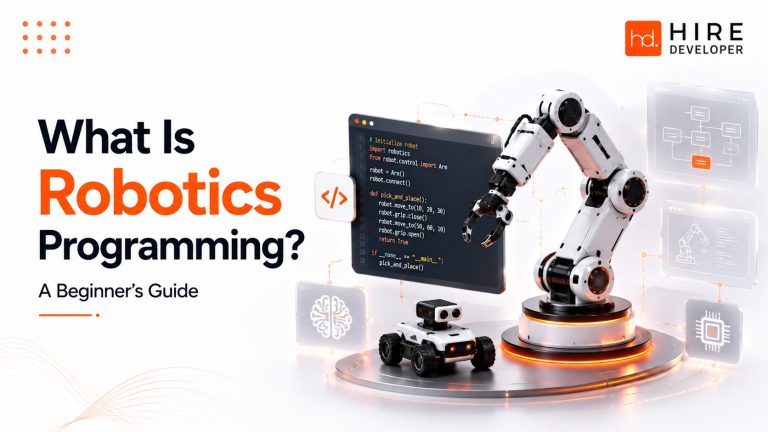
Robotics programming is the process of writing software that allows a robot to sense its environment, make decisions, and control physical movement through motors and actuators. It combines control theory, embedded systems, computer vision, and increasingly, artificial intelligence, to turn raw sensor data into precise, real world action.
At its core, robotics programming answers one question over and over again, thousands of times per second: given what the robot currently senses, what should it do next? That loop of sense, think, act is the heartbeat of every robotic system, from a simple line following robot built with Arduino to a six axis industrial robot arm welding car frames on a factory floor.
The purpose of robotics programming goes beyond just moving a motor. A good robotics program has to account for uncertainty (sensors are noisy), safety (a robot arm near a human cannot make mistakes), and real time constraints (a drone cannot pause to think for two seconds before adjusting its altitude). This is why robotics programming borrows heavily from control systems engineering, not just traditional software development.
When a robot executes code, it typically runs on a layered software stack. Low level code, often written in C or C++, talks directly to motor drivers and sensors with microsecond precision. Higher level code, often written in Python, handles planning, decision making, and communication with AI models. Frameworks like the Robot Operating System sit in between, giving developers a standard way to connect all these pieces together.
How Does Robotics Programming Work?
Robotics programming follows a repeating cycle sometimes called the sense-plan-act loop. Understanding this loop is the fastest way to understand how any robot, from a toy kit to an industrial cobot, actually works under the hood.
Input and Sensors: Sensors such as cameras, LiDAR, ultrasonic rangefinders, IMUs (inertial measurement units), and encoders collect raw data about the robot’s environment and its own position.
Processing: An onboard computer or microcontroller (often a Raspberry Pi, Jetson Nano, or industrial PLC) filters noise, fuses data from multiple sensors, and converts raw readings into usable information.
Decision Making: Software logic, ranging from simple if-else rules to machine learning models, decides what action to take. This is where path planning, motion planning, and AI inference happen.
Control Systems: Control algorithms, commonly PID (proportional integral derivative) controllers, translate a decision like ‘move forward’ into precise motor commands that account for speed, torque, and stability.
Actuators: Motors, servos, and hydraulic or pneumatic actuators physically execute the command, whether that means turning a wheel, rotating a joint, or gripping an object.
Feedback Loop: Sensors immediately measure the result of that action, and the cycle repeats. This closed feedback loop is what allows a robot arm to correct itself mid motion instead of blindly following a fixed script.
Main Components of a Robot
Regardless of whether you are working with a small hobby robot or an industrial six axis arm, most robots share the same core building blocks. Understanding these components makes it much easier to reason about what your code is actually controlling.
Controller: The central processing unit that runs your robotics program, often a microcontroller for simple robots or an industrial controller for factory robots.
Microcontroller / Embedded System: A small, dedicated chip such as an Arduino or STM32 that handles low level, time critical tasks like reading a sensor or driving a motor.
Motors and Actuators: The components that create physical movement, including DC motors, stepper motors, servos, and industrial actuators.
Sensors: Devices that let the robot perceive its environment, including cameras, LiDAR, force sensors, and proximity sensors.
Camera and Vision System: Used for computer vision tasks like object detection, quality inspection, and visual navigation, often paired with OpenCV or a deep learning model.
AI Model: A trained machine learning or deep learning model, built with frameworks like TensorFlow or PyTorch, that powers perception and decision making.
Communication Systems: The protocols and hardware, such as Wi-Fi, CAN bus, or serial communication, that let different parts of the robot (or a fleet of robots) exchange data.
Best Robotics Programming Languages
There is no single best robotics programming language. Instead, most professional robotics teams use two or three languages together, each suited to a different layer of the robot’s software stack. Here is how the major languages compare.
| Language | Pros | Cons | Use Case | Difficulty | Adoption |
| Python | Easy to learn, huge ecosystem for AI and data science, fast prototyping, strong ROS2 support | Slower execution than compiled languages, not ideal for hard real time control | AI models, computer vision, rapid prototyping, research robots | Beginner friendly | Very high, especially in AI robotics and research |
| C++ | Extremely fast, precise memory control, industry standard for real time systems | Steeper learning curve, more prone to memory bugs | Motor control, real time navigation, industrial robot firmware | Intermediate to advanced | Very high in industrial and production robotics |
| C | Minimal overhead, ideal for microcontrollers with limited memory | Manual memory management, verbose for complex logic | Embedded systems, Arduino level firmware | Intermediate | High in embedded robotics |
| Java | Portable, strong tooling, good for enterprise robotics software | Less common in core robotics, garbage collection can hurt real time performance | Robot fleet management software, enterprise integrations | Beginner to intermediate | Moderate, mostly in enterprise and educational robotics |
| MATLAB | Excellent for control system design, simulation, and algorithm testing | Commercial license required, not typically used for production deployment | Control theory, motion planning research, simulation | Beginner friendly for engineers | High in academia and R&D |
| Rust | Memory safety without a garbage collector, high performance, growing robotics ecosystem | Smaller community, fewer robotics libraries than C++ | Safety critical embedded robotics, next generation robot firmware | Advanced | Growing rapidly since 2024 |
| Lua | Lightweight, easy to embed as a scripting layer | Limited standalone robotics use | Scripting robot behaviors inside larger C or C++ applications | Beginner friendly | Niche, mostly in gaming linked robotics simulators |
Python vs C++ for Robotics Programming
Python and C++ are the two languages every robotics developer eventually has to choose between, and in practice, most real robots use both. Here is a direct, practical comparison.
| Factor | Python | C++ |
| Execution Speed | Slower, interpreted | Very fast, compiled |
| Learning Curve | Gentle, beginner friendly | Steep, requires memory management knowledge |
| Real Time Control | Not ideal for hard real time tasks | Industry standard for real time control |
| AI and ML Integration | Best in class, TensorFlow and PyTorch native support | Possible, but usually calls Python trained models |
| Typical Use in ROS2 | High level nodes, perception, planning | Low level nodes, drivers, control loops |
| Best For | Prototyping, AI, research, education | Production robots, industrial systems, firmware |
Key Takeaway
If you are just starting out, learn Python first. It will get you writing working robot code fastest, especially if your goal involves computer vision or AI. Once you are comfortable, add C++ to your toolkit so you can work on performance critical and production grade robotics systems.
Robot Operating System (ROS)
The Robot Operating System, known as ROS, is not actually an operating system. It is an open source middleware framework that gives robotics developers a standardized way to build, connect, and reuse robot software components. Think of it as the plumbing that lets a camera node, a motor control node, and an AI planning node talk to each other without every team having to invent their own communication protocol from scratch.
ROS2, the current generation of the framework, was built to address the real time performance, security, and multi robot limitations of the original ROS1. Most new robotics projects in 2026, from research labs to commercial warehouse robots, are built on ROS2 because of its improved reliability and support for production deployment.
The architecture of ROS is built around a few key concepts. Nodes are individual programs that perform a specific task, such as reading a LiDAR sensor or planning a path. Topics are named channels that nodes use to publish and subscribe to streams of data, like a live feed of camera images. Services allow nodes to make direct request and response calls to each other, similar to an API call, for tasks that need an immediate answer rather than a continuous stream.
In practice, a typical ROS2 based mobile robot might have separate nodes for camera perception, LiDAR based SLAM (simultaneous localization and mapping), path planning through MoveIt or Nav2, and motor control, all communicating over topics and services in real time. This modular design is a big reason ROS has become the de facto standard taught in robotics masters programs and used by companies building everything from delivery robots to humanoid robots.
Popular Robotics Software and Tools
Writing robot code is only half the job. Robotics developers rely on a set of specialized software tools to simulate, test, and deploy that code safely before it ever touches real hardware.
Gazebo: A physics based simulator tightly integrated with ROS, used to test robot behavior in realistic virtual environments before deploying to hardware.
Webots: An open source robot simulator popular in both education and research, supporting a wide range of robot models and sensors.
RoboDK: A simulation and offline programming tool widely used for industrial robot arms, letting engineers program and test robot cells without stopping the production line.
MoveIt: The standard motion planning framework for ROS, used to calculate collision free paths for robot arms.
OpenCV: The most widely used computer vision library, powering object detection, tracking, and visual navigation in robots.
TensorFlow and PyTorch: The two leading deep learning frameworks, used to train the AI models that power modern robot perception and decision making.
MATLAB and Simulink: Widely used for designing and testing control algorithms before implementation in C++ or embedded code.
Arduino IDE: The go to environment for programming microcontrollers, ideal for beginners building their first embedded robotics projects.
How to Program a Robot (Step by Step)
Programming a robot, whether it is a small robot arm or a mobile warehouse robot, generally follows the same seven stage workflow used by professional robotics teams.
- Planning: Define what the robot needs to do, its constraints, and the sensors and actuators required to do it.
- Simulation: Model the robot and its environment in a tool like Gazebo or Webots to test logic safely and cheaply before touching hardware.
- Coding: Write the actual software, typically combining C or C++ for low level control with Python for higher level logic and AI.
- Testing: Run unit tests on individual nodes or functions, then integration tests to confirm the full sense-plan-act loop behaves correctly.
- Deployment: Load the software onto the real robot hardware and validate behavior in a controlled, supervised environment.
- Optimization: Tune control parameters, reduce latency, and refine AI models based on real world performance data.
- Maintenance: Monitor the robot in production, push software updates, and retrain AI models as conditions or requirements change.
How to Learn Robotics Programming
You do not need a robotics degree to start programming robots. Here is a practical roadmap that takes a complete beginner from zero to a working robot project.
30 Day Learning Path
Days 1 to 7: Learn Python fundamentals if you do not already know them, then set up an Arduino or Raspberry Pi and get comfortable reading a basic sensor and controlling an LED or motor.
Days 8 to 14: Build a simple project such as a line following robot or an obstacle avoiding robot using ultrasonic sensors, focusing on the sense-plan-act loop.
Days 15 to 21: Install ROS2 and work through beginner tutorials, learning how nodes, topics, and services work by building a simple publisher and subscriber.
Days 22 to 30: Combine what you have learned by simulating a small robot in Gazebo, then experiment with basic computer vision using OpenCV, such as detecting a colored object.
Recommended Beginner Projects
- Line following robot with an Arduino and IR sensors
- Obstacle avoidance robot using ultrasonic sensors and Python
- A ROS2 based simulated mobile robot navigating a Gazebo environment
- A robot arm pick and place task using MoveIt
- An object detection pipeline with OpenCV running on a Raspberry Pi
Beyond official documentation for ROS2, Arduino, and OpenCV, structured platforms like The Construct, Coursera robotics specializations, and university backed robotics masters programs offer guided learning paths for those who want a more formal curriculum.
Work With Experienced Developers
Learning robotics programming on your own is a great start, but building a production ready robotics or automation product often requires a full team. HireDeveloper.dev connects businesses with experienced Python, C++, and embedded systems developers who can help design, build, and scale robotics and AI powered automation software.
Real World Applications
Robotics programming is not confined to research labs. It already powers critical operations across nearly every major industry.
Manufacturing: Industrial robot arms handle welding, assembly, and quality inspection with millimeter level precision on production lines.
Healthcare: Surgical robots assist with minimally invasive procedures, while autonomous robots handle hospital logistics like medication delivery.
Agriculture: Autonomous robots perform precision planting, weeding, and harvesting, reducing labor costs and chemical use.
Defense: Autonomous and remotely operated robots handle reconnaissance, bomb disposal, and logistics in hazardous environments.
Space: Rovers and robotic arms on spacecraft rely on autonomous navigation and decision making, since real time human control is often impossible over long distances.
Retail and Logistics: Warehouse robots and automated guided vehicles handle picking, sorting, and last mile coordination inside massive fulfillment centers.
Autonomous Vehicles: Self driving cars and delivery robots rely on the same sense-plan-act principles, scaled up with heavy computer vision and sensor fusion.
Smart Cities: Autonomous robots and IoT connected systems manage tasks like street cleaning, traffic monitoring, and public safety patrols.
Common Challenges in Robotics Programming
Robotics programming is genuinely harder than typical software development, and it helps to know the common obstacles going in.
Latency: Real time robots cannot afford network or processing delays, which forces careful architecture decisions about what runs locally versus in the cloud.
Sensor Noise and Hardware Variance: Real sensors are noisy and inconsistent, so code that works perfectly in simulation often needs significant tuning on physical hardware.
Debugging Physical Systems: Bugs in robotics can be physical, not just logical, meaning a software error can cause a real collision or mechanical failure.
Safety: Robots operating near humans, especially cobots, must meet strict safety standards and fail safe behaviors.
Power Consumption: Mobile and battery powered robots have to balance computational power, especially for AI inference, against battery life.
AI Integration: Combining probabilistic AI models with deterministic control systems requires careful engineering to keep behavior predictable and safe.
Future of Robotics Programming
Robotics programming in 2026 is being reshaped by a handful of major trends that every developer entering the field should understand.
Agentic AI in Robotics: Robots are increasingly powered by AI agents that can reason through multi step tasks, not just react to immediate sensor input.
Humanoid Robots: Humanoid platforms are moving from research demos toward real deployment in warehouses and light manufacturing, driven by advances in AI and actuator design.
Digital Twins: Companies are building live digital replicas of physical robots and facilities, allowing teams to simulate, test, and optimize before touching real hardware.
Cloud Robotics: Heavier AI processing is being offloaded to the cloud or edge servers, while lightweight, latency sensitive tasks stay on the robot itself.
Swarm Robotics: Coordinated fleets of simpler robots are being used for tasks like warehouse fulfillment and agricultural coverage, relying on distributed decision making.
Edge AI: Devices like the Jetson Nano are making it possible to run sophisticated AI models directly on the robot, reducing dependence on cloud connectivity.
Generative AI for Robotics: Generative models are starting to assist with generating robot control code, simulation environments, and even novel motion strategies.
Career Opportunities
The demand for robotics programming talent has grown well beyond traditional mechanical engineering backgrounds. Here are the roles seeing the strongest hiring demand.
| Role | What They Do |
| Robotics Engineer | Designs and builds the full software and hardware pipeline for a robot, from sensors to actuators. |
| ROS Developer | Specializes in building and integrating ROS or ROS2 based software systems for mobile and industrial robots. |
| Automation Engineer | Focuses on programming and integrating robots and PLCs into manufacturing and industrial automation workflows. |
| Embedded Systems Engineer | Writes low level firmware in C or C++ that controls sensors, motors, and microcontrollers directly. |
| Computer Vision Engineer | Builds the perception systems, often with OpenCV and deep learning, that let robots see and interpret their environment. |
| AI Robotics Engineer | Combines machine learning and robotics to build decision making systems, from navigation to manipulation, using frameworks like TensorFlow and PyTorch. |
Work With Experienced Developers
Businesses building robotics, automation, IoT, or AI powered software do not always need to hire a full internal team to get started. HireDeveloper.dev helps companies work with vetted, experienced developers across Python, C++, embedded systems, and AI, so robotics and automation ideas can move from prototype to production faster.
Conclusion
Robotics programming is the discipline that turns motors, sensors, and silicon into machines capable of sensing, deciding, and acting in the real world. It blends embedded systems, control theory, computer vision, and artificial intelligence into a single, demanding but deeply rewarding field.
Whether you are a student writing your first Arduino sketch, a Python developer moving into computer vision, or a startup founder scoping out a robotics product, the path forward is the same: understand the sense-plan-act loop, get comfortable with Python and eventually C++, learn ROS2, and build real projects rather than just reading about them.
As robotics programming continues to converge with AI, the businesses and developers who invest in these skills now will be the ones building the autonomous systems that define the next decade.
Work With Experienced Developers
If your business is exploring robotics, automation, or AI powered software and needs experienced Python, C++, or embedded systems developers, HireDeveloper.dev connects you with vetted development teams who can help turn your robotics programming project into a working product.
Related references
- https://in.mathworks.com/discovery/robot-programming.html
- https://www.theconstruct.ai/robotigniteacademy_learnros/ros-courses-library/python-robotics/
- https://techradiance.in/top-7-robot-programming-languages/
- https://robodk.com/blog/python-robot-programming/
- https://www.geeksforgeeks.org/blogs/top-6-programming-languages-to-learn-for-robotics/
- https://srec.ac.in/blog/details/top-robotics-programming-languages-shape-the-future
- https://standardbots.com/blog/how-to-program-a-robot
- https://www.uti.edu/blog/robotics-and-automation/the-guide-to-robotics-programming-languages