






Introduction
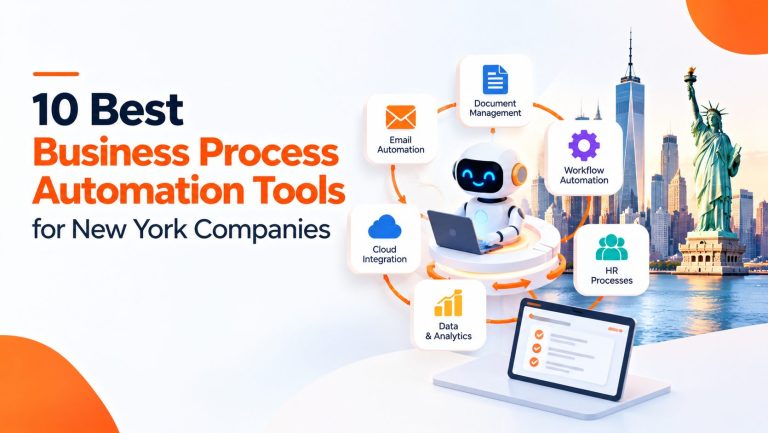
Business process automation (BPA) replaces manual handoffs, re-keying and approval chasing with rules-based workflows that run across your business applications. For most New York companies in 2026, the right business process automation tools fall into a handful of groups: Microsoft Power Automate for Microsoft 365 estates, Zapier, Make and n8n for connecting apps, UiPath for legacy screens and documents, Workato for governed enterprise integration, Kissflow and Appian for approval-heavy processes, and Camunda or ServiceNow for complex orchestration. This guide compares ten tools on what they actually automate, how mature their AI features are, what they cost and where they fall short, then gives you a framework for choosing, costing and governing the one that fits.
The pressure behind these projects is familiar. Finance teams re-key invoice data and chase approvers. Customer onboarding stalls while documents move between inboxes. HR coordinates the same checklist for every new hire by hand. Reports are assembled from exports. Leaders cannot see where a process is stuck, and now they are also asked to adopt AI responsibly. Automation helps with all of this, but only when the tool matches the process, the systems involved and the people who will maintain it.
Use the comparison in three passes. Read the summary table to build a shortlist of two or three tools. Read their profiles for limits and what to verify. Then use the readiness scorecard, decision tree and ROI model later in the article before you commit budget.
| Short answer by situation
Microsoft 365 is your core platform: start with Power Automate. You mostly connect cloud apps and your team is non-technical: Zapier, or Make if you need branching and more control over cost. You have developers and care about where data lives: n8n. You must automate old desktop or web screens and read documents: UiPath. You run governed, multi-system enterprise integration: Workato. Your pain is approvals, cases and audit trails: Kissflow or Appian. You orchestrate long-running processes across services, people and AI agents: Camunda, or ServiceNow if the work lives in IT, HR or customer service. |
What Is Business Process Automation?
Business process automation is the use of software to run repetitive, rule-based or structured work across business applications with little manual effort. Instead of a person copying data from an email into an accounting system, then messaging a manager for approval, the software reads the trigger, applies the rules, moves the data and routes the approval.
Common examples include routing invoices for approval, synchronizing customer data between a CRM and a finance system, creating onboarding tasks when an offer is accepted, alerting sales when a lead meets defined criteria, extracting fields from documents, routing support requests and generating scheduled operational reports.
Depending on the platform, BPA can combine four techniques: workflow automation (sequenced steps with conditions and approvals), integration automation (moving data between systems through APIs), robotic process automation (software robots that operate screens like a person) and AI-enabled steps (reading documents, classifying requests, drafting responses). Business process management (BPM) sits above these as the discipline of modeling and governing end-to-end processes.
10 Best Business Process Automation Tools for New York Companies in 2026
These ten tools were chosen because they represent different approaches, buyers and technical demands, not because they are the ten biggest brands. Honorable mentions that also deserve a look in the right environment are Automation Anywhere, Nintex, Pega Platform, Salesforce Flow and Process Street.
How to read the order. The list is grouped by category and is not a numeric ranking. The evidence available on official pages is uneven across vendors, especially for security detail, so a single score would suggest more precision than exists. Each profile says what is verified, what comes from third parties, and what you should confirm with the vendor. Pricing was read on October 15, 2026, labeled by its billing unit, and can change.
Selection criteria: breadth of automation capability, integration reach, AI maturity, security and governance, ease of implementation, scalability, pricing transparency, and documentation. NYC-specific note: none of these vendors is New York-specific, and none is presented as offering New York features.
| Tool | Best for | Main automation approach | AI capabilities | Pricing model | Key consideration |
| Microsoft Power Automate | Microsoft 365 and Dynamics shops | Cloud flows, desktop RPA, process mining | Copilot Studio agents and AI actions; verify GA status per feature | Per user ($15 Premium), per bot ($150), add-ons; yearly billing | Licensing has many parts |
| Zapier | Connecting SaaS apps without code | Trigger-action workflows (Zaps) | AI steps, Copilot (beta), Agents, MCP | Task-based; free tier; from $19.99 per month | Costs climb with volume |
| Make | Visual multi-branch scenarios on a budget | Visual scenarios with routers and iterators | AI via modules; agent features not verified here | Credits; free tier; Core $9 per month annual | Credit math needs modeling |
| n8n | Technical teams and self-hosting | Node-based workflows with code steps | AI Agent node, MCP, human approval for tool calls | Per execution; from 20 EUR per month; free self-hosted edition | Needs technical skill |
| Workato | Governed enterprise integration | Recipes on an iPaaS with orchestration | Agentic features reported at top edition | Quote-based editions plus usage | No public prices |
| UiPath | Legacy UI automation and documents | RPA plus agentic orchestration (Maestro) | Document understanding, agents, human-in-the-loop | Consumption units; quote-based | Pricing is hard to estimate |
| Kissflow | Approval and case workflows for business teams | Low-code process and case management | Natural-language builder; agents reported | Platform fee; quote or tracker-listed | Price sources conflict |
| Appian | Regulated, process-heavy enterprises | Low-code BPM, case management, RPA | Agent Studio, AI skills with action limits | Per user, per month, per app; unpublished | AI features sit in higher tiers |
| Camunda | Developer-led process orchestration | BPMN and DMN orchestration engine | Agents inside BPMN processes | Free SaaS tier; enterprise by quote | Developer skill required |
| ServiceNow | IT, HR and customer service workflow | Platform workflows on the Now Platform | Now Assist and agents; tiers reported to have changed in 2026 | Quote-only, fulfiller-based | Cost and implementation weight |
-
Microsoft Power Automate
Overview and core automation: Power Automate is Microsoft’s service for cloud flows (connector and API based), desktop flows (RPA for Windows applications) and process mining. Microsoft’s pricing page describes cloud flows as digital process automation, attended desktop flows as part of the Premium plan, and unattended desktop flows as part of the bot-based plans.
AI capabilities: Microsoft’s 2026 release wave 1 plan (April to September 2026) lists AI agent authoring, optimization and self-healing for desktop flows, Copilot Studio-powered actions in cloud flows, generally available object-centric process mining and new admin controls for agent security (Microsoft release plan). Agent flows in Copilot Studio consume Copilot Studio capacity, so AI-adjacent automation can be billed separately from classic flows. Release plans list features by rollout date, so confirm each item’s status before you rely on it.
Integrations: Standard, premium and custom connectors. The free trial is limited to standard connectors, so premium connector needs push you to paid plans. Dataverse capacity entitlements come with the plans (for example 250 MB database and 2 GB file capacity with Premium).
Best use cases and best suited for: Organizations already running Microsoft 365, SharePoint, Teams, Dynamics 365 or Azure. Typical flows are SharePoint approvals, Outlook-triggered intake, onboarding tasks, Teams notifications and desktop automation of legacy Windows applications.
Pricing (Microsoft pricing page, checked Oct 15, 2026): Premium is $15.00 per user per month paid yearly (cloud flows, attended desktop flows, process mining with 50 MB data). Process is $150.00 per bot per month paid yearly for unattended automation. Hosted Process is $215.00 per bot per month paid yearly. The Process Mining add-on is $5,000.00 per tenant per month paid yearly and is available only with Premium. A 30-day free trial exists. Microsoft notes that displayed prices are for marketing purposes and checkout prices can differ. Copilot Studio credits are sold separately.
Strengths: Native fit with Microsoft applications. One licensing family spans API flows, RPA and process mining. Managed environments are included with Premium.
Limitations: Licensing has many moving parts (users, bots, premium connectors, Dataverse capacity, Copilot Studio capacity). Desktop flows depend on the screens they operate and need maintenance when applications change. Coverage of non-Microsoft SaaS depends on available connectors.
Security and governance: Managed environments come with Premium, and the 2026 wave 1 plan lists governance reporting and admin controls for agents. Confirm tenant-level data policies with your Microsoft administrator.
Official website: Microsoft Power Automate pricing
Editorial assessment: Shortlist it if Microsoft is your system of record. Verify which connectors your flows need, how many unattended bots you will run, whether agent flows will draw on Copilot Studio capacity, and who owns governance.
-
Zapier
Overview and core automation: Zapier connects more than 9,000 apps according to its pricing page, using trigger and action workflows called Zaps. The platform also includes Tables, Forms, Canvas, Agents, Chatbots, MCP and an SDK. Built-in tools such as filters, paths, formatter, delay, looping and sub-Zaps add logic without code. Polling intervals differ by plan: 15 minutes on Free, 2 minutes on Professional and 1 minute on Team and Enterprise.
AI capabilities: Zapier says AI steps, code and its SDK now follow the same task-based pricing model. Copilot is listed as beta in the plan comparison. Zapier Agents are priced separately (a free tier with 400 activities per month; Agents Pro at $400 billed annually for 1,500 activities per month). One MCP tool call uses two tasks. Zapier’s own agent FAQ notes that AI output is not identical every time, which is a good reason to place a human check before consequential actions.
Integrations: The largest app directory on this list, with premium apps on paid plans, webhooks and a developer platform for private integrations.
Best use cases and best suited for: Operations, marketing, sales and support teams that connect SaaS tools: lead routing, CRM updates, form-triggered tasks, notifications, simple approvals. Suited to small and mid-sized businesses and to larger companies for low-risk departmental automation.
Pricing (Zapier pricing page, checked Oct 15, 2026): Free: 100 tasks per month with two-step Zaps. Professional starts from $19.99 per month and Team from $69 per month at the lowest task tier. The page offers monthly and yearly billing (yearly saves 33%), so confirm which basis the displayed price uses at checkout. Enterprise is by quote. Every successful action step uses a task, higher tiers lower the per-task cost, and overage runs at a higher per-task rate.
Strengths: Breadth of integrations, fast time to first automation, templates, and a clear upgrade path. Team adds SAML SSO and shared connections.
Limitations: Task metering means multi-step workflows get more expensive as volume grows. Complex branching can become hard to manage. It is not designed for long-running human approval processes or screen-level RPA.
Security and governance: Enterprise adds advanced admin permissions, app access controls, custom data retention and observability features per the pricing page. Review which controls your plan includes before routing sensitive data through it.
Official website: Zapier pricing
Editorial assessment: Shortlist it for integration-heavy, lower-risk workflows. Model task consumption at production volume, and decide in advance which AI steps need human review.
-
Make
Overview and core automation: Make builds automations as scenarios on a visual canvas, with routers for branching, iterators for arrays and aggregators for merging data. It is a good middle ground between simple trigger-action tools and developer platforms. Make Code (JavaScript or Python) is available and bills credits by execution time.
AI capabilities: AI models can be called through modules. Make markets agent features, but I could not verify their current availability by plan from an official page, so confirm before you plan around them.
Integrations: A large app library plus HTTP and API modules. Trackers describe more than 3,000 integrations; confirm the current number and the specific apps you need.
Best use cases and best suited for: Operations teams that need branching, data transformation and scenario-level debugging without writing a full application: CSV handling, invoice record creation across tools, multi-path routing. Suited to small and mid-sized teams that can invest a little time in learning the builder.
Pricing (independent readings of Make’s pricing page, September 14 to 26, 2026): Free includes 1,000 credits per month and two active scenarios. At 10,000 credits per month, Core is $9 per month billed annually ($10.59 monthly), Pro is $16 ($18.82 monthly) and Teams is $29 ($34.12 monthly). Enterprise pricing is not published. Make bills one credit per module action; it changed from operations to credits on August 27, 2025. Core, Pro and Teams include the same credits and differ by capability: Pro adds priority execution, custom variables and full-text log search, and Teams adds team roles and shared templates. I could not open Make’s own page directly, so confirm at checkout.
Strengths: Low entry price, strong visual debugging and flexible data handling.
Limitations: Credit consumption must be modeled. As a simple illustration, a trigger that checks every 5 minutes runs about 8,640 times a month, which can use most of a 10,000 credit plan if each check bills a credit. Enterprise governance detail is not public. It is not an RPA tool.
Security and governance: Execution logs are kept 7 days on Free, 30 days on Core, Pro and Teams, and 60 days on Enterprise according to a 2026 pricing analysis. Review roles, logging and data handling for regulated data.
Official website: Make
Editorial assessment: Shortlist it when Zapier feels too linear and n8n feels too technical. Verify credit math with a real scenario and confirm governance needs against the Enterprise plan.
-
n8n
Overview and core automation: n8n is a node-based workflow tool with code steps (JavaScript or Python), custom HTTP and GraphQL requests, and triggers from webhooks and queues. It can be self-hosted or used as a hosted cloud service. Pricing is based on complete workflow executions, regardless of how many steps a workflow has.
AI capabilities: The pricing page lists an AI Agent node and AI steps, an MCP server trigger and client, human approval for tool calls, hosted chat, and evaluations (light evaluations on all plans, metric-based evaluations on Pro and above). Agents and the Assistant are labeled preview on the same page, so treat them as evolving.
Integrations: All plans include every integration, unlimited users and unlimited workflows per the pricing page, plus a large template library.
Best use cases and best suited for: Technical or semi-technical teams that want custom logic, AI agent workflows or control over data location: data pipelines, incident routing, support triage, internal tools. Not the first choice for a non-technical operations team working alone.
Pricing (n8n pricing page, checked Oct 15, 2026): Starter is 20 EUR per month billed annually for 2,500 executions. Pro is 50 EUR per month billed annually for 10,000 executions. Business is 667 EUR per month billed annually for 40,000 executions and is currently self-hosted only. Enterprise is by quote and can be hosted or self-hosted. A free self-hosted Community Edition exists. Business overage is listed at 4,000 EUR per extra 300,000 executions. Companies under 20 employees may qualify for 50% off Business.
Strengths: Predictable execution-based pricing, deployment control, code extensibility, Git-based version control and environments on Business.
Limitations: It takes technical skill. Self-hosting means your team owns setup, security and updates. Hosted data is stored in Frankfurt, Germany according to the FAQ, which matters if you have US data residency requirements. n8n describes its license as fair-code, which is not the same as a standard open-source license, so have counsel read it before adopting it for a commercial product.
Security and governance: SSO and LDAP are listed on Business. External secret store integration, log streaming and extended retention are listed on Enterprise. An encrypted credential store and audit logging appear in the feature table.
Official website: n8n pricing
Editorial assessment: Shortlist it if you have engineers and want control over data and cost. Verify who will operate it, how upgrades and backups will run, and whether the license suits your use.
-
Workato
Overview and core automation: Workato is an enterprise integration platform (iPaaS) built around recipes. Its own navigation also lists API management, an MCP gateway, data orchestration, B2B and EDI, intelligent document processing, RPA and AI workflows, grouped under the Workato ONE platform.
AI capabilities: Workato lists Genies, an AI teammate called Otto and enterprise MCP. Third-party trackers report that the top edition, Workato One, adds agentic orchestration. I could not verify the general availability of each AI feature on Workato’s own pages, so confirm status and edition requirements in writing.
Integrations: Broad connectivity across enterprise systems such as ERP, CRM, HRIS and procurement tools, plus a connector SDK for custom integrations as reported in third-party reviews.
Best use cases and best suited for: Mid-market and enterprise IT and operations teams connecting many systems under governance: procure-to-pay, lead-to-account routing, employee lifecycle automation. Overkill for a team connecting five SaaS tools.
Pricing: Not publicly listed. Trackers describe editions called Standard, Business, Enterprise and Workato One, priced as a platform edition fee plus usage, with a one-year minimum commitment. Workato promotes a “Capped Recipes” model for predictable bills. Third-party cost estimates vary widely and are not Workato statements, so budget from a quote.
Strengths: Governance and breadth, with integration and automation under one platform and lifecycle controls for recipes.
Limitations: Sales-led pricing, enterprise scale and cost, and the newest AI capabilities sit at the top of the price range.
Security and governance: Workato publishes a Trust Center. Review it for the certifications and data handling your compliance team requires, because I did not verify specific certifications.
Official website: Workato
Editorial assessment: Shortlist it for governed, multi-system enterprise integration. Verify edition, connector and task assumptions, AI feature status, and what the minimum commitment covers.
-
UiPath
Overview and core automation: UiPath started as an RPA vendor and now positions itself around agentic automation. Its robots operate application screens like a person, which matters when a system has no usable API. UiPath Maestro orchestrates agents, robots and people using BPMN 2.0 and DMN, and UiPath’s release notes show Maestro reaching general availability in April 2025 (UiPath Maestro release notes).
AI capabilities: Document Understanding extracts, classifies and validates data from structured and unstructured documents, with human validation steps. Human-in-the-loop tasks suspend an automation for approval or exception handling. UiPath also reports its Healing Agent as generally available (UiPath product update). Several developer-assistant and agent-authoring tools are labeled preview in UiPath’s documentation, so separate those from production features in your evaluation.
Integrations: API workflows, UI automation across desktop and web, and connectors, plus an ecosystem of partners. This is the strongest option on the list for legacy screen automation.
Best use cases and best suited for: Accounts payable with invoice extraction and ERP entry, claims and loan processing, user provisioning across many systems, and any process that crosses old interfaces. Suited to mid-sized and large organizations with an automation team or a partner.
Pricing: UiPath uses two models, Unified Pricing (Platform Units) and Flex (separate Robot, AI, Agent and Apps units and API calls). Its documentation describes a Free plan and trials, with Standard and Enterprise plans quoted by sales. A third-party review notes that direct sign-up for the Free plan may not be available. Treat any price you see in a third-party article as directional and ask for a written quote tied to your robots, AI units and agents.
Strengths: Depth in RPA, document processing and orchestration, with human review designed in.
Limitations: Pricing is hard to estimate because it depends on plan, licensing model and consumption units. Screen-based automation needs maintenance when interfaces change, and the platform asks more of your team than a no-code tool.
Security and governance: UiPath’s Unified Pricing documentation states that the Free plan does not provide governance, security and enterprise-scale capabilities, while paid plans add core governance and Enterprise provides the fullest set. Match the plan to your governance requirements before a pilot.
Official website: UiPath
Editorial assessment: Shortlist it for legacy interfaces and document-heavy processes. Verify the unit-based quote, bot concurrency, which AI features are generally available, and who will maintain the automations.
-
Kissflow
Overview and core automation: Kissflow is a low-code work platform that combines process automation, case management and project boards, aimed at business teams that own approval-style workflows such as procurement, onboarding and finance requests.
AI capabilities: Third-party reviews describe a natural-language process builder and AI agent development with governance. I could not confirm general availability of each feature from an official page, so request a demo using your own process and ask which features are in production.
Integrations: REST API access and a set of integrations. Reviewers report integration limits on the entry plan and unlimited integrations on Enterprise, so check this against your systems list.
Best use cases and best suited for: Purchase requisitions, vendor approvals, employee onboarding and document approvals that depend on people and clear audit trails more than on deep application integration. Suited to mid-sized organizations.
Pricing: Sources disagree, which is itself a finding. Capterra lists the Basic plan from $1,500 per month for 10 to 30 users, while another tracker reported a flat platform fee of about $2,500 per month in July 2026. Enterprise is custom. Kissflow does not appear to maintain a stable public price list, so treat all of these as indicators and request a written quote.
Strengths: Business-user friendly design with approvals, SLA tracking and case handling in one place.
Limitations: Flat platform fees are high for very small teams, entry-plan limits on users and processes, and less suited to heavy data integration or screen-level RPA.
Security and governance: Reviewers report SSO and SCIM support on Enterprise, audit trails and an EU cloud deployment option. Confirm US hosting options and your required controls.
Official website: Kissflow
Editorial assessment: Shortlist it when approvals and cases are the pain and IT capacity is limited. Verify the quote, user and process limits, AI feature status and data location.
-
Appian
Overview and core automation: Appian is a low-code process platform with case management, RPA and process analytics (Process HQ), used for process-heavy work in regulated sectors. Agents run inside defined processes with visible choreography, which suits organizations that must show who or what made each decision.
AI capabilities: Appian’s pricing page lists Agent Studio, AI skills with generative AI, an AI copilot for developers and a document center, with monthly AI action limits of 200,000 (Standard), 500,000 (Advanced) and 1,000,000 (Premium). A third-party analysis reports that Agent Studio reached general availability in November 2025 and that MCP integration was added in April 2026; verify both with Appian.
Integrations: Enterprise integration through connectors, REST and SOAP, and a data fabric that has capacity limits by tier according to third-party analysis.
Best use cases and best suited for: Case-based, audited processes such as claims, onboarding for regulated customers, loan operations and compliance workflows. Suited to enterprises with the budget for a platform program.
Pricing (Appian pricing page, checked Oct 15, 2026): Three tiers (Standard, Advanced, Premium) without published prices. Third-party analyses state that production subscriptions are priced per user, per month, per app and are usually multi-year. A free dedicated platform instance is offered on the pricing page for evaluation.
Strengths: Process-centric design, governance and audit orientation, and a clear tier structure.
Limitations: No public prices, AI and process features gated by tier, proprietary development patterns that general-purpose AI coding tools handle poorly (reported by a former developer in third-party commentary), and a platform commitment.
Security and governance: Appian emphasizes identity, policy, records and audit trails around agents. Review its trust documentation for the specific controls your regulators expect.
Official website: Appian pricing
Editorial assessment: Shortlist it for regulated, case-driven processes. Verify which tier holds the features you need, AI action limits against your volume, and the contract term.
-
Camunda
Overview and core automation: Camunda is a process orchestration platform built on BPMN and DMN standards. It coordinates long-running processes across microservices, people, rules and, increasingly, AI agents. It is developer-led: engineers build and deploy the processes, business users read the models.
AI capabilities: Camunda describes agents working inside BPMN processes alongside human tasks and deterministic rules. A third-party profile reports that agentic orchestration features are available only on Enterprise tiers, with a 30-day trial on the free SaaS plan. Confirm exactly which AI capabilities your plan includes.
Integrations: Connectors and APIs, with orchestration of external services as its core purpose. Expect engineering involvement for non-trivial integrations.
Best use cases and best suited for: Order-to-cash, onboarding journeys, loan or claim lifecycles and other long-running, stateful processes where reliability, retries and visibility matter. Suited to organizations with strong engineering teams.
Pricing: Camunda’s documentation lists a free trial and an Enterprise plan for the hosted service, and states that the older Starter plan is no longer available (Camunda plans). Third-party pricing summaries describe a free SaaS tier with limited seats and modeling only after the trial, and custom Enterprise pricing. Production licensing for self-managed use is reported to go through sales. Ask for a written quote for your volume.
Strengths: Standards-based, durable orchestration and a clear model of how work flows between people, systems and agents.
Limitations: Developer skill required, BPMN learning curve, and sales-led pricing for production. A small isolated automation may not justify a full orchestration platform.
Security and governance: Hosting model (SaaS or self-managed) determines who carries infrastructure and security duties. Review Camunda’s documentation for access control and audit features for your edition.
Official website: Camunda
Editorial assessment: Shortlist it when you need reliable orchestration across services and have engineers to run it. Verify edition features, production licensing and who owns operations.
-
ServiceNow
Overview and core automation: ServiceNow’s Now Platform runs workflows for IT service management, HR service delivery, customer service and governance, risk and compliance. Its value is a common platform and data model across departmental workflows.
AI capabilities: Now Assist is ServiceNow’s generative AI layer. Third-party analysts report that on April 9, 2026 ServiceNow replaced its five ITSM packages (Standard, Pro, Pro Plus, Enterprise, Enterprise Plus) with three tiers named Foundation, Advanced and Prime, with Now Assist, Workflow Data Fabric and AI Control Tower bundled in each and agentic workflow execution and process mining starting at Advanced. These are secondhand reports, so confirm the packaging and what each tier includes in a written proposal.
Integrations: Platform integrations and APIs across enterprise systems. Verify the specific connectors or integration hub entitlements you need.
Best use cases and best suited for: Enterprises standardizing IT, HR and customer service workflows on one platform, for example employee onboarding across IT and HR, incident and request management, and case handling.
Pricing: Quote-only. Licensing is generally by fulfiller (the person who works tickets), with modules priced separately and AI consumption bundled or metered depending on the contract. List prices are not published, and independent figures vary, so use only a written quote.
Strengths: Enterprise reach, a common data model across departments, and a mature workflow platform.
Limitations: Cost and implementation weight. Reviewers describe significant specialist effort for customization. Commercial packaging has changed recently, which makes renewals and comparisons harder.
Security and governance: ServiceNow positions AI Control Tower as a governance layer for AI. Verify its scope and the compliance evidence you need in ServiceNow’s trust documentation.
Official website: ServiceNow
Editorial assessment: Shortlist it if your workflows are mostly IT, HR and customer service and you want one enterprise platform. Verify tier contents, fulfiller counts, AI allowances and implementation scope.
Which Business Process Automation Tool Is Best for Your Business?
No tool is the best choice everywhere. This table maps common needs to the tools that fit them, with the caveat to check. A tool appears only where the evidence supports it.
| If you need | Shortlist | Why | Check before you commit |
| Microsoft 365 and Microsoft-centric workflows | Power Automate | Native SharePoint, Teams and Outlook fit, plus RPA and process mining | Premium connector, bot and Copilot Studio capacity costs |
| Connecting cloud applications | Zapier, Make | Large connector libraries and fast setup; Make for branching and visual control | Task and credit math at production volume |
| Complex enterprise automation across many systems | Workato | Governed integration and orchestration at scale | Edition, minimum commitment and AI feature status |
| RPA and legacy application workflows | UiPath, Power Automate | Screen-level automation and document understanding | Maintenance burden when screens change |
| Low-code business process management | Kissflow, Appian | Approvals, cases and audit trails for business teams | Plan limits, price sources and AI tier gating |
| Developer-controlled or self-hosted automation | n8n, Camunda | Code extensibility and deployment control; Camunda for long-running BPMN processes | Who runs it, upgrades, license terms |
| Organizations exploring AI-enabled workflows | n8n, UiPath, Power Automate, Appian | Documented agent and human-in-the-loop features, at different maturity levels | Which features are generally available, permissions, validation |
| Document-heavy approval processes | UiPath, Kissflow | Document extraction with human validation; approval routing with audit trail | Accuracy testing on your documents |
| IT, HR and customer service on one platform | ServiceNow | Common platform and data model | Tier contents and implementation cost |
Business Process Automation Software Comparison
The two tables below use short descriptions. Where a capability depends on a plan, edition or add-on, it says so. “Verify” means I could not confirm the detail from an official page.
Table A: workflow, integration, build style and deployment
| Tool | Workflow complexity | Integration flexibility | Low-code or no-code | RPA | Custom code | Deployment |
| Power Automate | Moderate to high | Connectors and custom connectors; premium by plan | Yes | Yes (desktop flows; unattended on bot plans) | Expressions, custom connectors, Azure extension | Microsoft cloud |
| Zapier | Low to moderate | 9,000+ apps, webhooks | No-code | No | Code by Zapier; runtime limits by plan | SaaS |
| Make | Moderate | Large app library plus HTTP | Visual | No | Make Code | SaaS |
| n8n | Moderate to high | All integrations plus HTTP and GraphQL | Visual with code | Not a core feature | JavaScript, Python, custom nodes (self-hosted) | Cloud or self-hosted |
| Workato | High | Enterprise connectors, SDK | Low-code | Listed on vendor site; verify scope | Connector SDK | SaaS; verify on-prem options |
| UiPath | High | API workflows plus UI automation | Low-code and coded | Core strength | Coded automations and agents | Cloud; other editions, verify |
| Kissflow | Moderate | REST API; limits by plan | Yes | No | Limited | SaaS; verify regions |
| Appian | High | Connectors, REST, SOAP | Low-code | Yes; bot limits by tier | Platform-specific | Cloud |
| Camunda | Very high, long-running | APIs and connectors, developer-led | Visual modeling, engineer-built | Reported at Enterprise; verify | Code-first | SaaS or self-managed |
| ServiceNow | High | Platform integrations; verify entitlements | Low-code app building; verify | Verify | Platform scripting | ServiceNow cloud |
Table B: AI, governance, pricing, size and limits
| Tool | AI functionality | Security and governance | Pricing transparency | Ideal size | Main limitation |
| Power Automate | Copilot Studio agents and AI actions; check release plan status | Managed environments (Premium); admin controls for agents listed in 2026 plan | High for core plans, add-ons complex | Mid to large | Licensing complexity |
| Zapier | AI steps, Copilot beta, Agents, MCP | SAML SSO (Team); advanced admin on Enterprise | High, task-based | Small to mid | Cost at volume |
| Make | AI via modules; agents unverified | Log retention by plan; Enterprise detail not public | High for entry plans, Enterprise not published | Small to mid | Credit modeling |
| n8n | AI Agent node, MCP, human approval for tool calls; some features in preview | SSO and LDAP (Business); secrets and log streaming (Enterprise) | High, execution-based | Small to enterprise with engineers | Operational skill |
| Workato | Genies and agentic features; verify GA and edition | Trust Center; verify certifications | Low, quote-based | Mid to large | Cost and commitment |
| UiPath | Document understanding, agents, human-in-the-loop | Governance depends on plan; Free plan lacks it | Low to moderate, units and quotes | Mid to large | Pricing complexity |
| Kissflow | Natural-language builder; agents reported | SSO and SCIM on Enterprise (reported) | Low, sources conflict | Mid | Price and plan limits |
| Appian | Agent Studio, AI skills, action limits by tier | Audit and policy emphasis; review trust docs | Moderate, tiers visible, prices not | Large, regulated | Tier gating |
| Camunda | Agents inside BPMN; Enterprise gating reported | Depends on hosting and edition | Moderate, free tier then quote | Engineering-led | Developer dependence |
| ServiceNow | Now Assist and agents; packaging reported to have changed | AI Control Tower reported; verify | Low, quote-only | Large | Cost and implementation |
Business Process Automation Benefits for New York Companies
These benefits are real, but none of them is automatic. Outcomes depend on how well the process is designed, how reliable the integrations are, how exceptions are handled and whether people actually use the result. This article does not quote fixed savings percentages because no source I could verify supports a number that applies to your business.
- Operational efficiency: less repetitive work and fewer manual handoffs between people and systems.
- Process consistency: recurring workflows follow the same steps and approval paths every time.
- Fewer manual errors: validation rules and structured data capture catch many mistakes that re-keying introduces.
- Faster processing: less idle time between stages, such as an invoice waiting in an inbox.
- Improved visibility: workflow status, exceptions and bottlenecks become measurable.
- Better customer experience: onboarding, support and service requests move with fewer delays.
- Scalability: more volume without a matching rise in manual effort.
- Governance and auditability: approval histories and process records, where the platform supports them.
How New York Businesses Can Use Business Process Automation
The workflows below are not unique to New York. They matter to this audience because the city’s economy leans heavily on finance, professional services, technology, real estate, healthcare and retail, all of which run document-heavy, approval-heavy operations. I did not find a verifiable, New York-specific statistic on automation adoption, so none is quoted here, and national figures are not treated as local ones.
Financial and professional services
Invoice processing, client onboarding, document routing, reporting workflows and multi-level approvals are common starting points. If your firm is a covered entity under the New York Department of Financial Services cybersecurity regulation (23 NYCRR Part 500), automation vendors become part of your third-party risk picture. In October 2024, NYDFS issued an industry letter explaining how Part 500 applies to AI-related cybersecurity risk, including AI used by third-party providers, access privileges and multi-factor authentication (NYDFS cybersecurity guidance). The letter does not add new requirements, but it shows what examiners care about: vendor due diligence, least-privilege access and training that covers AI.
Technology and SaaS companies
Customer onboarding, lead routing, support ticket triage, subscription administration and internal IT requests. Integration-first tools such as Zapier, Make, n8n or Workato are the usual fit, with Camunda for longer customer journeys.
Healthcare administration
Appointment-related administrative workflows, document routing, nonclinical approvals and internal requests. Healthcare automation may need extra privacy, security and compliance review, for example obligations around protected health information under HIPAA. Keep clinical decisions out of scope for automation unless a qualified compliance and clinical governance process says otherwise.
Retail and e-commerce
Order processing, inventory notifications, customer service workflows, and refund and exception routing. Volume tends to be high and rules stable, which makes it a good candidate for execution-based or task-based tools, as long as you model the metering.
Real estate and property management
Tenant onboarding, document approvals, maintenance requests and payment reminders. Approval and case tools such as Kissflow or Power Automate with SharePoint can fit when most work is documents and people.
Professional services and HR
Client intake, contract routing, timesheet approvals and project status reports. For HR specifically, New York City has a rule that matters: Local Law 144 restricts using automated employment decision tools to screen candidates or employees for hiring or promotion in the city unless a bias audit has been done within the prior year, a summary is published, and notices are given. Law firm summaries describe the notice requirement as ten business days before use (Gibson Dunn summary of the DCWP FAQs). Whether a given automation counts as such a tool is a legal question, so involve counsel before you automate candidate screening, and check the current DCWP guidance because rules and enforcement can change.
AI Business Process Automation: What Is Changing in 2026?
AI is moving from side feature to workflow component. The practical question for a buyer is not whether a vendor says “agent,” but what the agent may do, who approves it and how you can see what happened.
| A forecast worth keeping in mind
In June 2025, Gartner predicted that more than 40% of agentic AI projects will be canceled by the end of 2027 because of escalating costs, unclear business value or inadequate risk controls, and warned about “agent washing,” the relabeling of existing assistants, RPA and chatbots (Gartner press release). This is a forecast, not a measured result, but it supports a cautious, use-case-led approach. |
-
Generative AI in business workflows
Models can summarize documents, extract fields, classify requests and draft replies. Add human review wherever an error has financial, legal or customer consequences, and measure accuracy on your own documents instead of relying on vendor demos.
-
AI agents and multi-step workflows
Several platforms now let an agent call tools and coordinate steps across applications. Maturity varies: n8n lists human approval for tool calls and labels some agent features as preview, UiPath positions Maestro as generally available, and Microsoft’s release plan lists agent features by rollout date. Ask each vendor which agent capabilities are generally available today, what permissions an agent inherits, and where its actions are logged.
-
Intelligent document processing
Extraction from invoices, contracts and forms is one of the more established AI uses in automation. Treat extracted values as proposals: use confidence thresholds, route low-confidence items to a person and track error rates over time.
-
Natural-language workflow creation
Many tools now let users describe an automation and receive a draft workflow. Drafts still need testing, a permissions review and an owner, because a workflow that looks right can contain wrong conditions or excessive access.
-
Process mining and automation discovery
Process data can show where work actually stalls. Power Automate offers process mining as an add-on to Premium, and Microsoft’s 2026 wave 1 plan lists object-centric process mining as generally available. Other platforms offer it natively, through partners or only as analytics, so verify what you are buying.
-
Human-in-the-loop automation
Well-designed workflows pause for review, approval or exception handling. The risk is the opposite failure: reviewers who approve everything because the queue is long. Measure reviewer overrides and queue age.
-
Governance and responsible AI
Frameworks help structure this work. The NIST AI Risk Management Framework is voluntary guidance organized around govern, map, measure and manage, and NIST published a Generative AI Profile in July 2024 as a companion (NIST AI RMF). The OWASP Top 10 for LLM Applications names prompt injection and excessive agency as leading risks for AI-connected systems (OWASP). These are guidance, not certifications, and following them does not make a system compliant with any law.
| Trend | Business application | Required capabilities | Main risk |
| Generative AI | Document and communication assistance | Validation and secure data access | Incorrect output |
| AI agents | Multi-step task execution | Permission controls, monitoring, traceable logs | Unauthorized or unintended actions |
| Document processing | Invoice and form extraction | Confidence checks and exception queues | Misread data entering finance systems |
| Natural-language workflow creation | Faster automation design | Testing, change review, named owner | Incorrect workflow logic |
| Process mining | Bottleneck identification | Event data and analytics | Misleading conclusions from incomplete logs |
| Human-in-the-loop | Sensitive approvals | Clear review and escalation paths | Rubber-stamping or delays |
| AI governance | Controlled enterprise rollout | Logging, policies and ownership | Uncontrolled automation sprawl |
How to Automate Business Processes: A Step-by-Step Framework
Step 1: Identify the process. Pick a repetitive workflow with a clear business purpose and an owner. Expected output: A one-line problem statement and a named owner.
Step 2: Map the current workflow. Document inputs, systems, approvals, exceptions, teams and outputs. Expected output: A process map that the people doing the work agree is accurate.
Step 3: Establish a baseline. Measure processing time, error frequency, backlog and cost where you can. Expected output: A baseline sheet you will compare against later.
Step 4: Identify automation opportunities. Decide which tasks can be automated safely and which need human judgment. Expected output: A list of automate, assist and keep-manual steps.
Step 5: Select the right tool. Match the workflow to integrations, complexity, governance and budget using the decision tree and matrix below. Expected output: A shortlist of two or three tools and a written reason for the choice.
Step 6: Design the automation. Define triggers, conditions, permissions, error handling and escalation paths. Expected output: A design note, including who is notified when something fails.
Step 7: Test with representative cases. Include normal cases, missing data, unexpected inputs, failed integrations and duplicate events. Expected output: A test log with results and fixes.
Step 8: Deploy gradually. Start with a pilot group or a limited volume. Expected output: A pilot report and a go or no-go decision.
Step 9: Monitor performance. Track errors, exceptions, processing times, adoption and business outcomes. Expected output: A simple dashboard and an alert owner.
Step 10: Improve continuously. Update workflows when systems, regulations or processes change. Expected output: A review date and a change log.
How to Calculate Business Process Automation ROI
A credible model counts costs beyond the license and separates time released from money saved. Use these variables: current time per task, tasks per month, fully loaded labor cost, expected reduction in manual work, implementation cost, software licensing cost, integration and customization cost, maintenance and support cost, and ongoing exception-handling effort.
| Formulas
Net benefit = quantified benefits minus total automation costs. ROI percentage = (net benefit divided by total automation costs) multiplied by 100. Choose a measurement period (12 months is common), state every assumption and compute capacity released separately from cash savings. |
Illustrative example (hypothetical numbers, not customer results). A finance team processes 1,200 invoices per month at 12 minutes each. Automation with human review of exceptions is assumed to save 7 minutes per invoice. Fully loaded labor cost is $45 per hour.
| Line | Calculation | Result |
| Hours released per month | 1,200 x 7 minutes / 60 | 140 hours |
| Value of released capacity per month | 140 x $45 | $6,300 |
| Monthly software license (assumed) | Hypothetical | $1,500 |
| Monthly maintenance and support (assumed) | 10 hours x $60 | $600 |
| Monthly exception handling (assumed) | 8% of invoices x 15 minutes x $45 | $1,080 |
| Total monthly running cost | $1,500 + $600 + $1,080 | $3,180 |
| One-time implementation (assumed) | Hypothetical | $24,000 |
| 12-month benefits | $6,300 x 12 | $75,600 |
| 12-month total costs | $24,000 + ($3,180 x 12) | $62,160 |
| Net benefit | $75,600 – $62,160 | $13,440 |
| ROI | $13,440 / $62,160 x 100 | About 21.6% |
| Simple payback | $24,000 / ($6,300 – $3,180) | About 7.7 months |
Capacity is not cash. The $6,300 figure is the value of time released. It becomes cash only if the team avoids hiring, reduces overtime or redeploys people to work that earns or saves money. If only half of the released capacity turns into real value, 12-month benefits fall to $37,800, net benefit becomes minus $24,360 and ROI is about minus 39.2%. Run the downside case before presenting the business case, and add the value of better control or service where you can measure it.
Business Process Automation Software Pricing and Total Cost of Ownership
Prices below were read on October 15, 2026 from the sources named in each profile. They show the metering unit because the unit, not the headline price, drives your bill. Do not assume the lowest subscription produces the lowest total cost.
| Tool | Pricing unit | Published starting figures | Status |
| Power Automate | Per user, per bot, tenant add-on | $15 per user per month; $150 per bot per month; $215 hosted bot; $5,000 per tenant per month for process mining (all paid yearly) | Publicly listed |
| Zapier | Tasks | Free (100 tasks); Professional from $19.99 per month; Team from $69 per month | Starting prices, usage-based; Enterprise by quote |
| Make | Credits | Free (1,000 credits); at 10,000 credits Core $9, Pro $16, Teams $29 per month billed annually | Read via independent analyses; Enterprise unpublished |
| n8n | Workflow executions | 20 EUR, 50 EUR and 667 EUR per month billed annually; free self-hosted Community Edition | Publicly listed; Enterprise by quote |
| Workato | Edition plus usage | None published | Quote required |
| UiPath | Consumption units | Free plan documented; paid plans not published | Quote required |
| Kissflow | Platform fee | Sources range from about $1,500 to about $2,500 per month for the Basic plan | Conflicting; quote required |
| Appian | Per user, per month, per app | None published; three tiers visible | Quote required |
| Camunda | Free tier, then Enterprise | Free hosted tier reported; Enterprise by quote | Quote required for production |
| ServiceNow | Per fulfiller, modules | None published | Quote only |
What drives total cost of ownership
- Per-user subscriptions: predictable but grow with headcount.
- Per-task, per-credit or per-execution metering: cheap at low volume, sensitive to polling, retries and multi-step workflows.
- Bot or unattended licensing: each concurrent unattended automation may need its own bot license.
- Premium connectors and add-ons: the connector you need may sit on a higher plan.
- AI usage: agent activities, AI credits and action limits can add a separate meter.
- Implementation and consulting: often the largest first-year line for enterprise platforms.
- Custom development and integration: needed where connectors do not cover a system.
- Hosting and infrastructure: self-hosting trades license cost for operations cost.
- Maintenance and governance: someone must own changes, monitoring and access reviews.
If you cannot verify a price, say so and get it in writing. Confirm every figure with the provider before budgeting.
How to Choose Business Process Automation Services or Consulting
A software subscription is enough when the workflow is simple, the apps have good connectors and your team can maintain it. Support becomes worth paying for when processes cross many systems, involve regulated data, depend on legacy interfaces or need ongoing ownership. Compare the options below by who carries the work after go-live.
| Option | Best use case | Internal expertise needed | Customization and maintenance | Cost considerations |
| Self-service automation | Simple, low-risk workflows between common apps | A capable business user or ops analyst | Limited to platform features; you maintain it | Lowest upfront; watch metering |
| Vendor-led implementation | Standard deployment of one platform | A project owner and process knowledge | Within the vendor’s patterns; vendor support tiers apply | Services fees plus license |
| Business process automation consulting | Process discovery, tool selection, governance design | Executive sponsor and process owners | Advisory; build and run may stay with you | Project-based fees; value depends on scope clarity |
| Dedicated automation developers | Ongoing builds and integrations alongside your team | An engineering or product lead to direct work | High flexibility; you control priorities | Monthly team cost; scales up or down |
| Custom automation development | Specialized logic or systems that tools cannot reach | Product ownership and technical review | Highest flexibility; you own maintenance | Highest build cost; no license but upkeep |
| Enterprise automation transformation | Many departments, governance and a center of excellence | Program office, security, compliance | Structured; long-term operating model | Multi-year investment |
| Managed automation support | Run and monitor workflows after launch | Light internal oversight | Provider handles monitoring and fixes | Recurring fee; clarify response times |
Standard tool or custom build? A standard platform is usually enough when connectors exist, the logic is rule-based and the volume fits the pricing model. Consider custom development or dedicated developers when you need to integrate a system with no connector, embed automation inside your own product, meet unusual data residency or latency needs, or when per-task licensing would exceed the cost of building and running it. Local or distributed? What matters more than a New York address is clear ownership, overlapping working hours, security review and documented handover, so ask any partner, local or remote, how they handle all four.
AI Automation Risk Checklist
- Appropriate data access: the workflow sees only the data it needs.
- Data privacy and retention: know where prompts and outputs are stored and for how long.
- Human review for sensitive actions: payments, hiring, legal and customer-impacting steps get a person.
- Output validation: check extracted or generated values against rules, thresholds or source data.
- Untrusted input: treat emails, documents and web content as potentially hostile, including prompt injection that hides instructions in content.
- Audit logging: record inputs, outputs, tool calls and approvals.
- Permission boundaries: give agents the least privilege and separate read from write access.
- Error handling: define what happens on failure, timeout or low confidence.
- Fallback procedures: keep a manual path so the business keeps running.
- Ongoing monitoring: track accuracy, overrides and cost, and review at a set cadence.
AI should not replace human judgment in every financial, legal, HR or other sensitive decision.
Business Process Automation Mistakes to Avoid
| Mistake | How to prevent it |
| Automating a poorly designed process | Map and simplify first; remove steps that exist only out of habit |
| Choosing a tool before mapping the workflow | Write requirements from the process map, then shortlist |
| Ignoring exception handling | Design the failure path and the human queue before launch |
| Overlooking integration limits | Test every connector and rate limit on your plan in the pilot |
| Underestimating licensing and usage costs | Model metering at production volume, including retries and polling |
| Giving automation excessive permissions | Apply least privilege and review access on a schedule |
| Deploying AI workflows without validation | Measure accuracy on your data and add review thresholds |
| Failing to document workflows | Keep a short design note and change log for each automation |
| Ignoring employee adoption | Involve the people doing the work from mapping onward |
| Creating many disconnected automations | Keep a central inventory and owners; retire duplicates |
| Failing to monitor errors | Alert a named person on failures and review dashboards weekly |
| Neglecting maintenance and ownership | Assign a maintainer and a quarterly review |
How HireDeveloper.dev Can Support Business Automation Projects
HireDeveloper.dev is the talent wing of Rightbyte Technologies Pvt Ltd. Some businesses can start with a commercial automation platform and run it themselves. Others need experienced engineers to connect systems that have no connector, customize workflows around existing applications, or build AI-assisted steps with proper validation.
For that work, HireDeveloper.dev offers dedicated developers who join your team and tools, and IT staff augmentation when you need to fill specific skill gaps. Its AI developer page lists AI agent development, intelligent automation, document AI and integration with existing applications among the skills available, and companies on the Microsoft stack can look at its .NET developers. If you are unsure whether to use dedicated developers or staff augmentation, the site has a plain comparison.
A practical split is to let the platform handle standard connectors and approvals, and use engineers for the integrations, custom logic and monitoring around it. If you want to talk through a specific workflow, you can discuss your automation requirements with the team and compare platform, consulting and engineering options for your situation.
Conclusion: Choosing the Right Business Process Automation Tool in 2026
The right choice comes down to your workflows, existing applications, technical environment and governance needs. Weigh integration reach, ease of implementation, AI maturity, security and administration, scalability, pricing and total cost of ownership, internal skills and who will maintain the automation a year from now.
Start small: score your readiness, pick a stable process, shortlist two or three tools from this list, pilot them on real cases and measure the result against your baseline. Business process automation pays off when the process is sound and the ownership is clear, and the tool is the smaller part of that decision.
If your shortlist raises integration or custom workflow questions, the team at HireDeveloper.dev is available to talk through the engineering side of your plan.