






Why WordPress Owners Need to Look Beyond Plugin Updates
On 21 October 2026, the PHP project released emergency updates for two critical flaws in the PHP engine itself, tracked as CVE-2026-109618 and CVE-2026-109619 and known together as PHP2Shell. Both are rated 9.2 on the CVSS v4.0 scale, and PHP says they can allow unauthenticated remote code execution. In plain terms, someone who can send web requests to an unpatched server may be able to run commands on it without logging in.
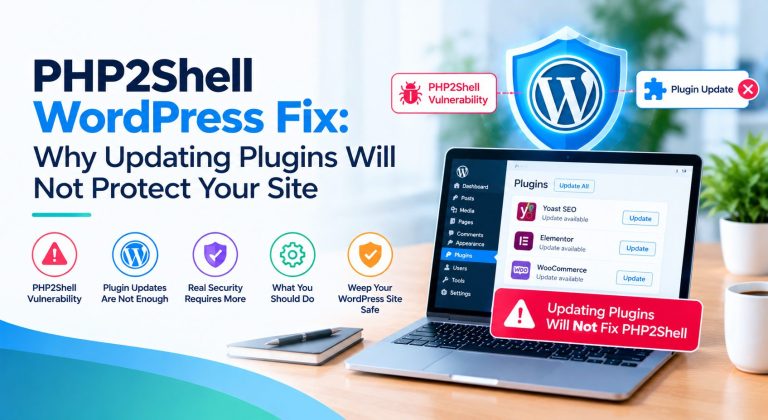
WordPress runs on PHP, the server-side runtime that executes its code. That is why this matters to every WordPress owner, and why clicking “update all” in the dashboard is the wrong first move. Updating WordPress core, themes and plugins does not automatically replace the PHP runtime underneath them. The flaw sits in that lower layer, so the PHP2Shell WordPress fix has to happen there too.
This guide explains why plugin updates alone are not enough, how to check your hosting environment, how to update PHP or confirm your provider’s fix, and what to do if patching is delayed or you suspect a compromise. It builds on our PHP2Shell security crisis coverage.
What Is PHP2Shell and Why Does It Matter for WordPress?
PHP2Shell is the name for two memory-safety bugs in the PHP runtime, both tied to how PHP behaves when a request runs out of memory. In CVE-2026-109618, PHP can be interrupted while request data is only partly set up, and cleanup code then treats that unfinished data as valid. In CVE-2026-109619, internal state can survive after its memory has been freed, and a later request handled by the same worker may use it, as the NCSC alert describes.
Remote code execution (RCE) means an attacker can run their own commands on your server from a distance. Unauthenticated means no account or password is needed first. Together they describe one of the most serious situations a vulnerability can create.
Wiz Research, which reported the flaws, demonstrated unauthenticated code execution against the latest WordPress container image in testing. It also showed that an attacker could read data from PHP worker memory, including passwords, tokens and API keys, without achieving code execution at all. Because the bug lives in PHP rather than in a plugin, every PHP application on the same server can share the exposure.
Actual exposure still depends on the installed runtime, the vendor’s patch status, how PHP connects to the web server and any mitigations in place. PHP rates the risk highest for Apache mod_php. None of this means every WordPress website has been attacked or compromised.
Why Updating WordPress Plugins Will Not Fix PHP2Shell
A WordPress site is a stack of layers, and each layer is patched separately, often by different people.
| Layer | What it does | Who usually updates it |
| WordPress core | The content management system itself | Site owner or developer, from the dashboard |
| Plugins | Add features such as forms, SEO or checkout | Site owner or developer |
| Themes | Control design and layout | Site owner or developer |
| PHP runtime | Executes all PHP code on the server | Hosting provider or server administrator |
| Hosting infrastructure | Server, operating system, PHP handler and control panel | Hosting provider or server administrator |
Picture an owner who installs the newest WordPress release and updates every plugin. The dashboard shows nothing pending, yet the host is still running a PHP build from before 21 October. Nothing the owner did touched that build, so the exposure is unchanged.
Security and firewall plugins do not close the gap either. PHP states that on mod_php an unauthenticated request can trigger the attack before any application code runs, so a plugin that loads later may never see it. Plugins and firewalls help against other threats, but neither proves the runtime is fixed.
The correct response is to verify the PHP runtime’s patch status, or to obtain confirmation that your provider has applied an effective fix or mitigation.
One naming warning: PHP2Shell is not WP2Shell, a separate set of flaws in WordPress core disclosed earlier in 2026. A normal WordPress update fixes WP2Shell, as Meow Apps notes, but not PHP2Shell.
Read Also – PHP2Shell Security Crisis 2026: Critical PHP Vulnerabilities, Global Impact, And How To Protect
How To Fix PHP2Shell Vulnerabilities In 2026
Is Your WordPress Website Actually Affected?
Assume exposure until you can show otherwise. The UK NCSC says organisations using any version of PHP are affected. What varies is your remediation state:
- Branch and package: PHP 8.5, 8.4, 8.3, and 8.2 have upstream fixes in 8.5.12, 8.4.27, 8.3.36, and 8.2.35. PHP 8.1 and older get no upstream releases, so only a vendor backport helps.
- Vendor patch or backport: distributions and control panels may fix a package without changing its version number.
- Active handler: the PHP-FPM pool, Apache module, or other handler actually serving requests.
- Documented mitigations: anything your provider has put in place, and whether it is partial.
Self-hosted sites, VPS and cloud servers, and containers are your responsibility. Shared and managed platforms are the provider’s. WooCommerce stores run on the same runtime, but checkout and customer data raise the stakes. A potentially affected configuration is a patching task. A confirmed compromise is an incident. Do not confuse the two.
The WordPress PHP2Shell Verification Framework
Most guides stop at “update PHP.” The harder question is how to prove it. This five-question framework turns the vendor advisories into a checklist you can complete and file.
- Runtime identity: What PHP version and vendor package are serving the site?
- Patch status: Is the applicable official fix installed, or has the vendor documented a valid backported fix?
- Ownership: Is the site owner, host, infrastructure team, or managed platform responsible for applying the fix?
- Evidence: What package records, provider confirmation, release notes, or environment checks demonstrate remediation?
- Closure: Have all instances and runtime processes been checked, and is any suspected compromise investigated separately?
| What to check | Evidence to look for | Next action |
| 1. Runtime identity | Site Health PHP version, the handler set per domain in your control panel, build date or package name, and any separate PHP used by the panel itself | Record version, handler, and package for every site |
| 2. Patch status | A version at or above the fixed release for your branch, or a vendor changelog that names CVE-2026-109618 | If unclear, request vendor confirmation. If unpatched, schedule the update |
| 3. Ownership | Hosting plan terms, provider status page, and who holds root access | Shared or managed: ask the host. VPS or cloud: patch it yourself or assign it |
| 4. Evidence | A provider post or email naming both CVEs, a package changelog entry, or a build date on or after October 21, 2026 | Save it with the date. Escalate if the answer is only a general reassurance |
| 5. Closure | Every site, staging copy, container, and worker covered and restarted, with logs reviewed | Close only after all instances pass and a compromise review is done |
Cannot answer all five questions?
If you manage a business-critical WordPress site and cannot verify the PHP runtime or the update path, get help from an experienced team. HireDeveloper.dev can place dedicated PHP developers or WordPress developers on your project to audit your environments, plan the upgrade, and test it on staging.
How to Check Whether Your WordPress Site Is Protected
Work through these four steps. None needs command-line skills.
Step 1: Check WordPress Site Health
Log in to the dashboard and open Tools → Site Health → Info → Server, then read the PHP version. This is a useful starting point, but it cannot prove whether a fix was backported, because some providers patch PHP without changing the version number. WordPress.com, for example, says its sites are protected whatever version Site Health displays.
Step 2: Check the hosting control panel
Your hosting dashboard may show the selected PHP version and offer a version switcher. Check the runtime your website actually uses, not just the versions available to your account. A version switcher usually only changes versions and does not install a security fix. cPanel and Plesk have both published their own advisories, and Plesk notes that its panel runs on a separate PHP engine with its own update.
Step 3: Contact the hosting provider
Ask these questions and keep the answers in writing:
- Is the PHP2Shell security update applied to my site’s active PHP runtime?
- Is my server running a fixed PHP release or a verified vendor-patched package?
- Are all relevant PHP workers and hosting nodes updated?
- Is any temporary mitigation currently in place?
A reply that mentions firewall protection is encouraging, but it is not the same as confirming the runtime is updated.
Step 4: Check every relevant environment
Repeat the check for staging sites, background workers, additional domains, containers and any other application that shares the same infrastructure.
PHP2Shell WordPress Fix: How to Remediate Your Website
Step 1: Identify the active PHP branch
Find the PHP version and runtime that actually serve the website. The command-line PHP version can differ from the one your web server uses, so confirm the web-facing runtime.
Step 2: Verify the applicable security fix
Use the official PHP announcement and your provider’s advisory to identify the right patched release. The upstream fixed releases are:
| PHP branch | Fixed release | Notes |
| PHP 8.5 | 8.5.12 | Update to this release or later |
| PHP 8.4 | 8.4.27 | Update to this release or later |
| PHP 8.3 | 8.3.36 | Update to this release or later |
| PHP 8.2 | 8.2.35 | Update to this release or later |
| PHP 8.1, 8.0, 7.4 | No upstream release | Needs a vendor-patched build or a source backport |
| PHP 7.3 and older | No upstream fix | Ask your vendor about extended support, or upgrade |
Linux distributions and hosting vendors may ship patched packages that keep an older-looking version number, so rely on the vendor’s own notice rather than the version string. cPanel, for example, patched EasyApache 4 builds for PHP 7.4 and above. Older branches need particular care because the PHP project no longer updates them. Do not assume an older build is unpatched, and do not assume it is safe, based only on the version it displays.
Step 3: Update PHP through the correct channel
- Shared hosting: select a supported version where offered, or ask the provider to apply the fix.
- VPS and dedicated servers: follow your operating system or vendor instructions, then restart PHP-FPM or Apache, because PHP keeps running the old code until it restarts.
- Docker: pull the fixed image and recreate the containers.
- Managed WordPress platforms: follow the provider’s guidance instead of attempting unsupported server changes.
Step 4: Test the website
After remediation, test login, forms, critical plugins, checkout flows, API integrations and key business functions. Confirm that the active runtime is patched and that services were restarted or refreshed.
What If Your Hosting Provider Has Not Confirmed the Fix?
Send your provider these questions and keep the written answers:
- Is my active PHP runtime affected by CVE-2026-109618 and CVE-2026-109619?
- Has the applicable patch or vendor backport been installed?
- Are all relevant web workers and hosting nodes covered?
- If patching is delayed, what documented mitigation is in place?
- What evidence can you provide to confirm remediation?
The right interim step depends on the advisory, your architecture, and business risk. PHP lists partial server-level settings, but only the person who runs the server can apply them, and PHP states that only an update is a complete solution. A maintenance-mode plugin does not help. The NCSC advises that if you can neither update nor mitigate, you should consider taking the system offline until it is fixed. Temporary mitigations are never equal to the permanent fix.
How to Check Whether a WordPress Site Has Been Compromised
Patching closes the door, but it does not tell you whether someone already walked through. Wiz notes that these flaws act below the application layer, so application logs may hold little context. Review:
- Hosting and web server logs, including unusual multipart requests followed by memory-limit errors or repeated HTTP 500 responses.
- WordPress authentication and application logs.
- Unexpected administrator accounts or plugins you did not install.
- Unfamiliar files, especially PHP files inside the uploads folder, and unexplained changes.
- Unexpected processes, PHP worker crashes and restarts, or outbound connections.
- Signs of exposed credentials, such as unusually large or malformed PHPSESSID cookies in responses or unusual account activity.
Suspicious signs do not automatically prove PHP2Shell exploitation, and a clean result does not guarantee that nothing happened. If you suspect a compromise, preserve logs and disk evidence, isolate affected systems where appropriate, rotate credentials the PHP process could access and engage qualified incident response specialists. In the UK, the NCSC lists assured providers.
WordPress Security Best Practices Beyond PHP2Shell
Application security and runtime security are complementary, not interchangeable. Keep both in good shape:
- Keep WordPress core, plugins and themes updated.
- Maintain a supported PHP runtime.
- Remove unused themes and plugins.
- Use least-privilege access controls.
- Enable multifactor authentication for administrator accounts.
- Maintain tested backups stored away from the server.
- Monitor security announcements and hosting provider updates.
- Use suitable server-level protections.
- Run periodic vulnerability assessments.
- Establish a maintenance process for production websites.
When Should Businesses Get Professional WordPress or PHP Support?
Outside help becomes worthwhile when:
- You cannot determine whether your PHP runtime is patched.
- The website depends on a legacy PHP version.
- An update causes plugin or theme compatibility problems.
- The site runs across multiple servers or environments.
- You need ongoing maintenance and security checks.
- A possible compromise needs specialist investigation.
HireDeveloper.dev can add PHP and WordPress engineering capacity for upgrades and maintenance through dedicated developers, and you can hire PHP developers for compatibility work. Development support complements a dedicated cybersecurity incident response team but does not replace one.
Conclusion: Update More Than Your WordPress Plugins
WordPress security updates matter, but they do not patch the PHP runtime underneath your site. The PHP2Shell WordPress fix comes down to three steps:
- Check the active PHP runtime and your hosting environment.
- Confirm the official fix or a provider-confirmed protection.
- Verify the remediation, and investigate suspicious activity if needed.
If your business needs ongoing PHP maintenance or development support, you can explore HireDeveloper.dev.
Not sure whether your WordPress hosting runs a patched PHP build? Share your setup and our engineers will tell you what needs updating, even if the answer is that your host simply needs to act. Request a free PHP version check
Related Sources
- WordPress.com Support, PHP security update (October 2026)
- Wiz Research, PHP2Shell technical analysis
- cPanel, Critical PHP Security Release for CVE-2026-109618 and CVE-2026-109619
- Plesk, PHP2Shell advisory for PHP shipped with Plesk
- Meow Apps, PHP2Shell: what it is, and what to do on your WordPress site
- DEV Community, Patch Your PHP: What PHP2Shell Means for WordPress Sites
- HireDeveloper.dev, PHP2Shell security crisis 2026